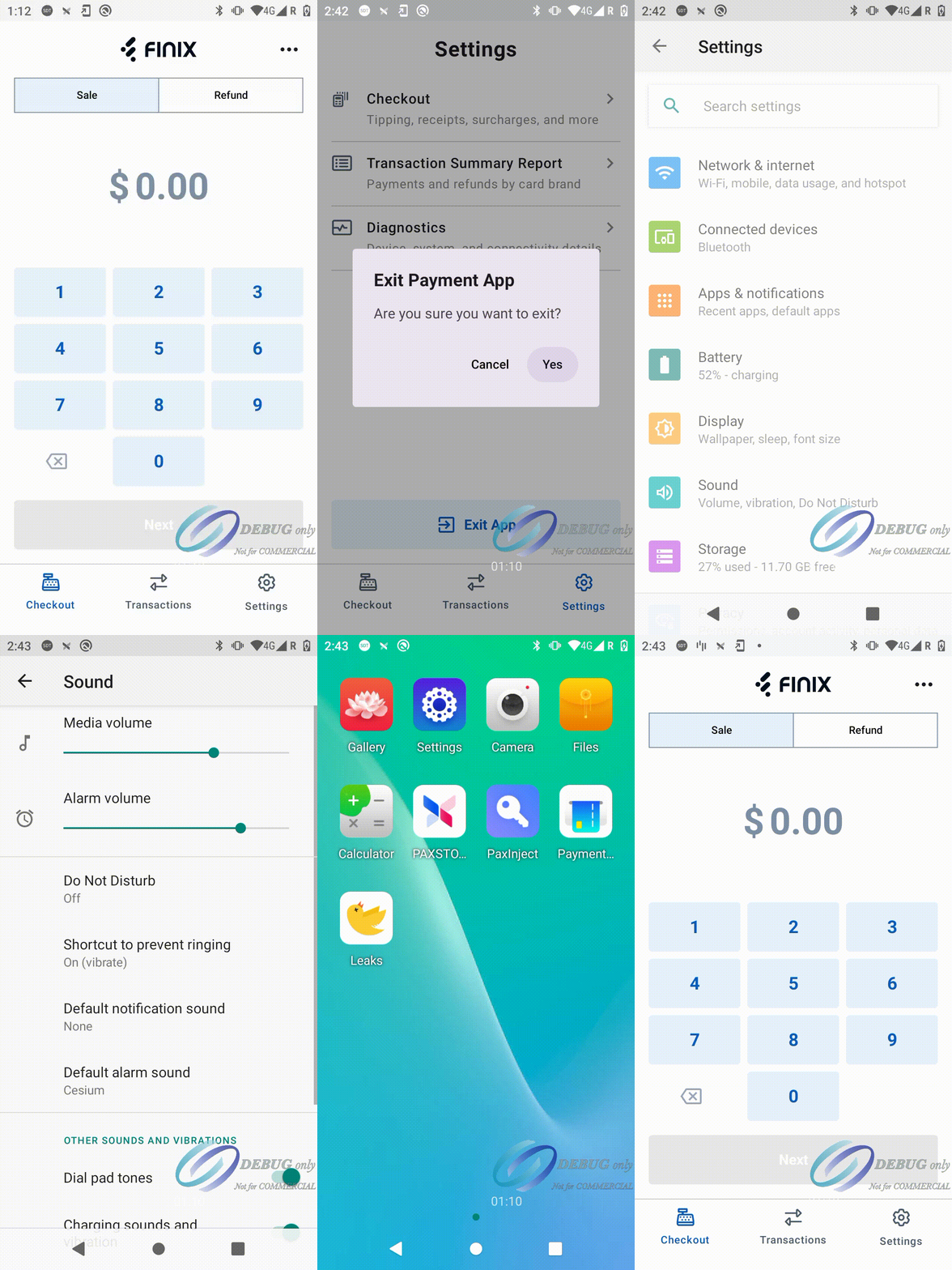
Follow these steps to adjust the volume on your Pax A800.
- Exit Payment App
- Click on Settings
- Click on Sound
- Adjust the Media Volume to the desired level
- Open Payment App
The volume should now be adjusted to the selected level.
If the above options do not solve the problem, contact the Finix Support Team.