Before integrating the Finix Android SDK for PAX Device Readers, complete the following one-time setup. These steps register your PAX developer account, establish your API credentials, and create your Device resource in Finix.
- You are registered as a developer with PAX.
The SDK supports either ROLE_PARTNER or ROLE_MERCHANT credentials. Use ROLE_MERCHANT credentials to scope your app to a single Merchant. Use ROLE_PARTNER credentials if your app processes payments across multiple devices or Merchants.
ROLE_PARTNER credentials are required for Split Transactions.
Create a User with role: ROLE_MERCHANT.
curl -i -X POST \
  -u USfdccsr1Z5iVbXDyYt7hjZZ:313636f3-fac2-45a7-bff7-a334b93e7bda \
  https://finix.sandbox-payments-api.com/users \
  -H 'Content-Type: application/json' \
  -H 'Finix-Version: 2022-02-01' \
  -d '{
    "role": "ROLE_MERCHANT",
    "identity_id": "ID6YeRojM2ppNkPt4mP8ExNH"
  }'
You can use the credentials across multiple devices as long as the devices are associated with the same Merchant.
To create ROLE_PARTNER credentials:
- Log in to the Finix Dashboard.
- Select the environment for which you would like to create the API credentials (Sandbox or Live).
- In the bottom left-hand corner, click Developer.
- From the API Keys tab, click Create API Key.
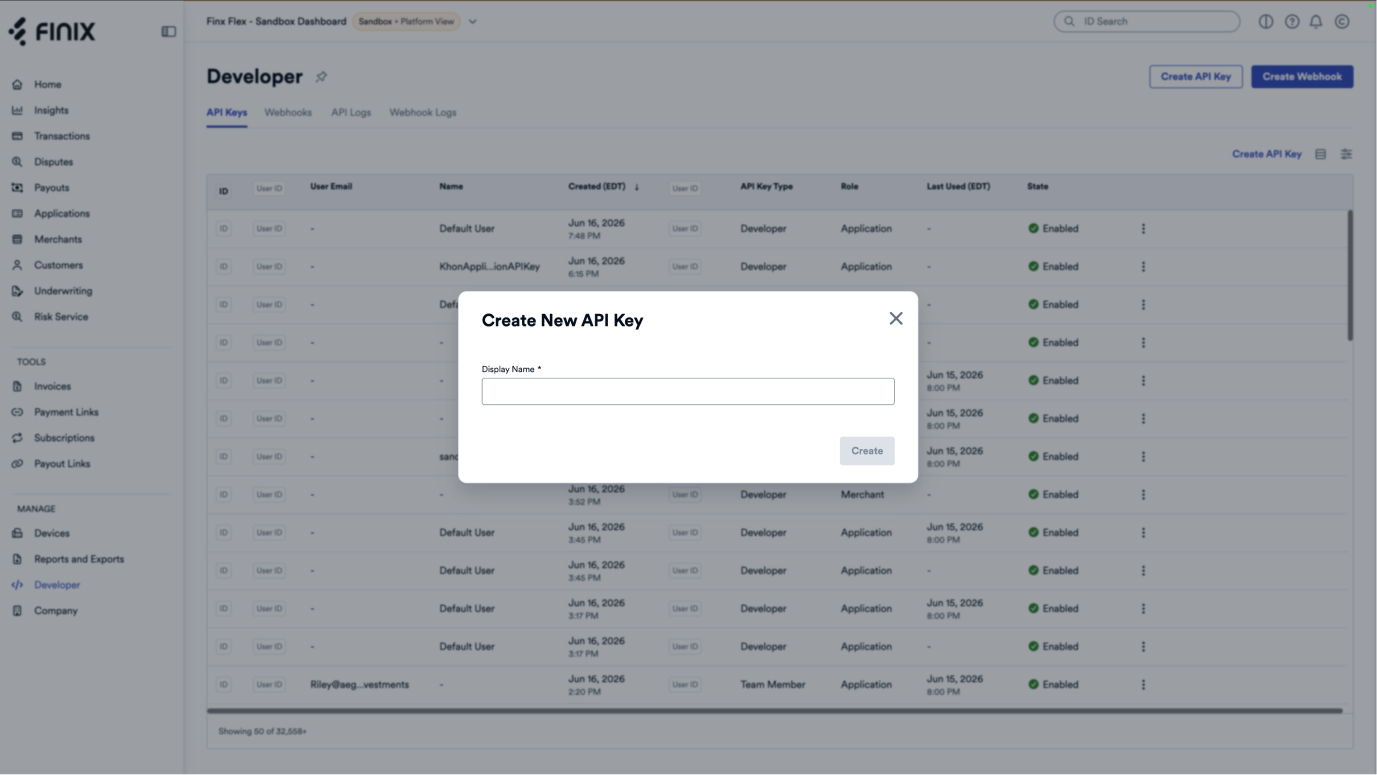
Creating a Device resource can be done either via the Finix Dashboard or via API. The steps below use the API.
Create a Device under the Merchant provisioned to process in-person payments. Include the model of the payment terminal you will be using to process cards. Set integration_mode to SDK to designate that this Device uses the Finix Android SDK for PAX Device Readers.
For more details about the payment terminals available, see our available devices.
curl -i -X POST \
  -u USfdccsr1Z5iVbXDyYt7hjZZ:313636f3-fac2-45a7-bff7-a334b93e7bda \
  https://finix.sandbox-payments-api.com/merchants/MUwfZPNW3r4EqLMzwgr6txw4/devices \
  -H 'Content-Type: application/json' \
  -d '{
    "description": "Cashier Three",
    "model": "PAX_A800",
    "name": "PAX_A800 Finix Android SDK for PAX Device Readers",
    "integration_mode": "SDK",
    "serial_number": "19046260947"
}'{
"id": "DVxcL2fiBdt9frYCKAbZikZK",
"created_at": "2025-05-21T19:01:32.000581Z",
"updated_at": "2025-05-21T19:01:32.000581Z",
"configuration_details": null,
"description": "Cashier Three",
"enabled": false,
"idle_message": null,
"integration_mode": "SDK",
"merchant": "MU7noQ1wdgdAeAfymw2rfBMq",
"model": "PAX_A800",
"name": "PAX_A800 Finix Android SDK for PAX Device Readers",
"serial_number": "19046260947",
"tags": {},
"_links": {
"self": {
"href": "https://finix.sandbox-payments-api.com/devices/DVxcL2fiBdt9frYCKAbZikZK"
},
"merchant": {
"href": "https://finix.sandbox-payments-api.com/merchants/MU7noQ1wdgdAeAfymw2rfBMq"
},
"transfers": {
"href": "https://finix.sandbox-payments-api.com/transfers"
},
"authorizations": {
"href": "https://finix.sandbox-payments-api.com/authorizations"
}
}
}