In this guide, you can learn how to use the PAX IM30 payment terminal.
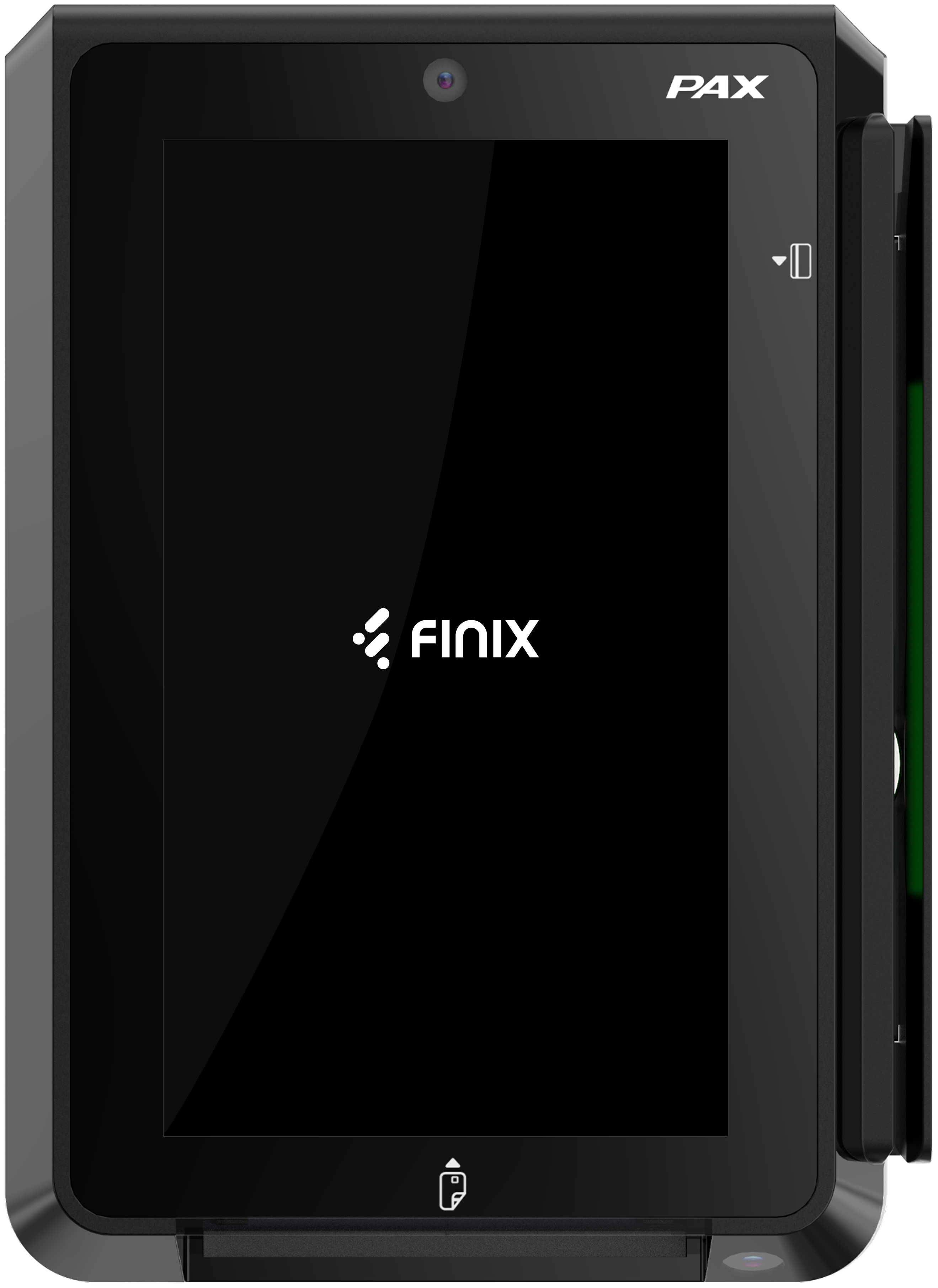
| Item | Quantity |
|---|---|
| IM30 Unattended Payment Terminal | 1 |
| Locking USB-A to Micro-B Cable (1m) | 1 |
| Power Supply, PAX, 12V/1A Adapter | 1 |
| GPRS 4G Antenna | 1 |
| M4 Nuts | 4 |
| M4 Screws | 4 |
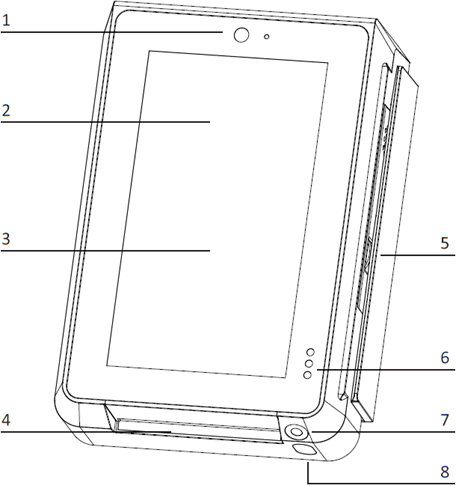
- Front Facing Camera
- Contactless Card Reader Interface
- LCD Touchscreen
- Smart Card Reader
- Magnetic Strip Card Reader
- Proximity and Light Detector
- Code Scanning Camera
- Camera Lighting
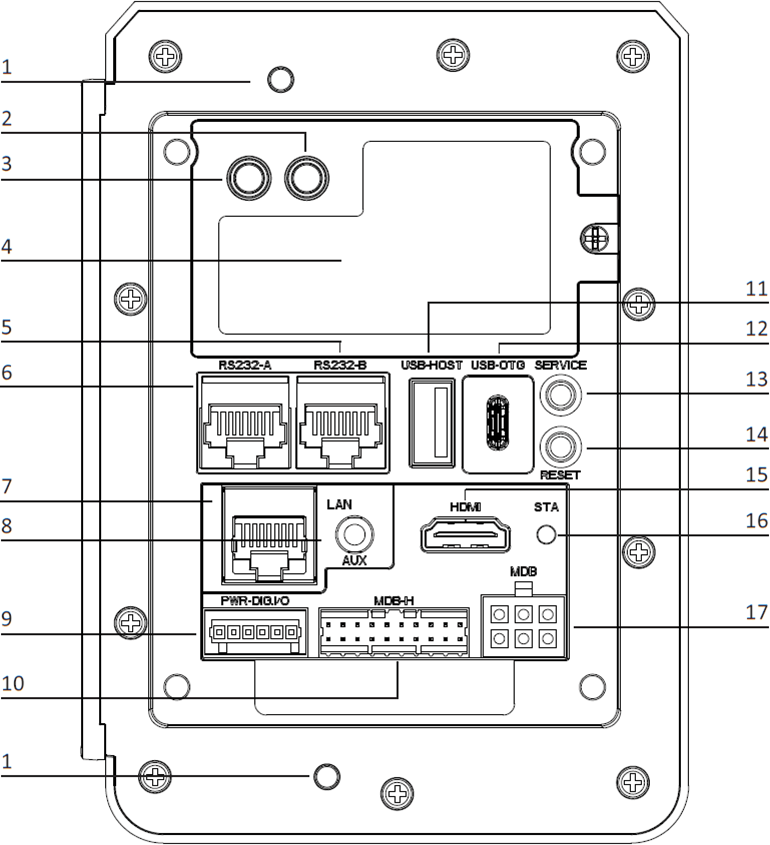
- Anti-removal Switches
- 4G Antenna SMA Connector (Optional)
- GPS Antenna SMA Connector (Optional)
- 4G Module & SIM Card Slot
- RS232-B (RJ45)
- RS232-A (RJ45)
- Ethernet Port (RJ45)
- Auxiliary Port (Mic + Speaker)
- Digital IO Port
- MDB Master Port
- USB Type-A Port
- USB Type-C Port
- Service Button
- Reset Button
- HDMI Port
- Status Indicator LED
- MDB Slave Port
Plug the IM30 into an appropriate power source via the MDB port, the digital IO port, or the RS232-A RJ45 port.
Disconnect the IM30 from the power source it is connected to.
To access the settings or exit the Finix Payment App:
Tap each corner of the screen in this order:
- Top left
- Top right
- Bottom right
- Bottom left
Swipe up from the bottom of the screen.
A passcode dialog will appear. Enter 61424.
Once the correct passcode is entered, you’ll be able to access the app’s settings page and choose to exit the app.

The PAX IM30 payment terminal can connect to the internet using
Direct connection via Ethernet a Wi-Fi network
To connect to Wi-Fi, follow the steps below:
Tap on Settings
Enter the password.
Try these password combinations. Contact Finix Support if none work.
pax9876@@Dev9876@@98769876@@
Tap on Network & Internet
Tap WiFi
Select your Network and Connect
If you're deploying your own app to this terminal, these specifications apply to app development:
| Specification | Details |
|---|---|
| Operating System | PayDroid, powered by Android 10 |
| Processor | Quad-core ARM Cortex-A53, 1.6GHz |
| Memory | 4GB LPDDR4 RAM, 32GB flash |
| Display | 5" IPS touchscreen, 1280 x 720 pixels |