The PAX D135 is a compact, mobile smart card reader. It connects to Android or iOS devices via Bluetooth, allowing your phone or tablet to function as a payment terminal.
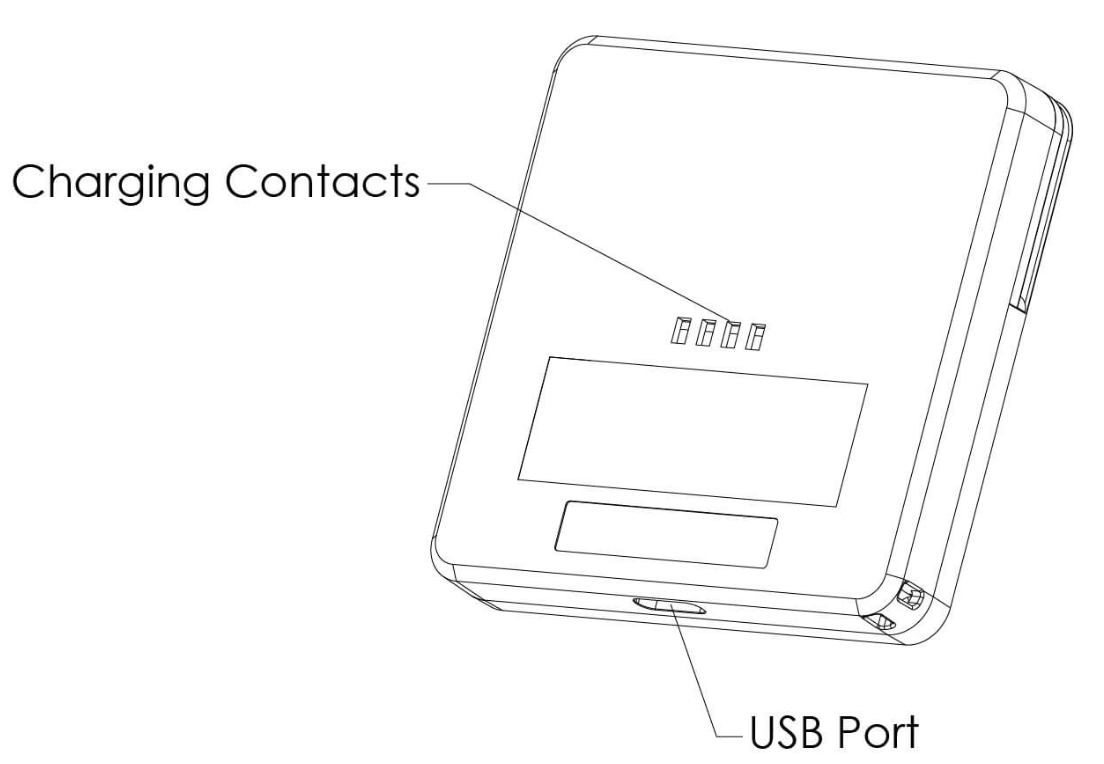
Charge the battery only with PAX-approved power supplies. Using others may damage the product and void the warranty.
Charging time must not exceed 24 hours. If the battery is empty, recharge it fully, then disconnect the device to avoid shortening its life.
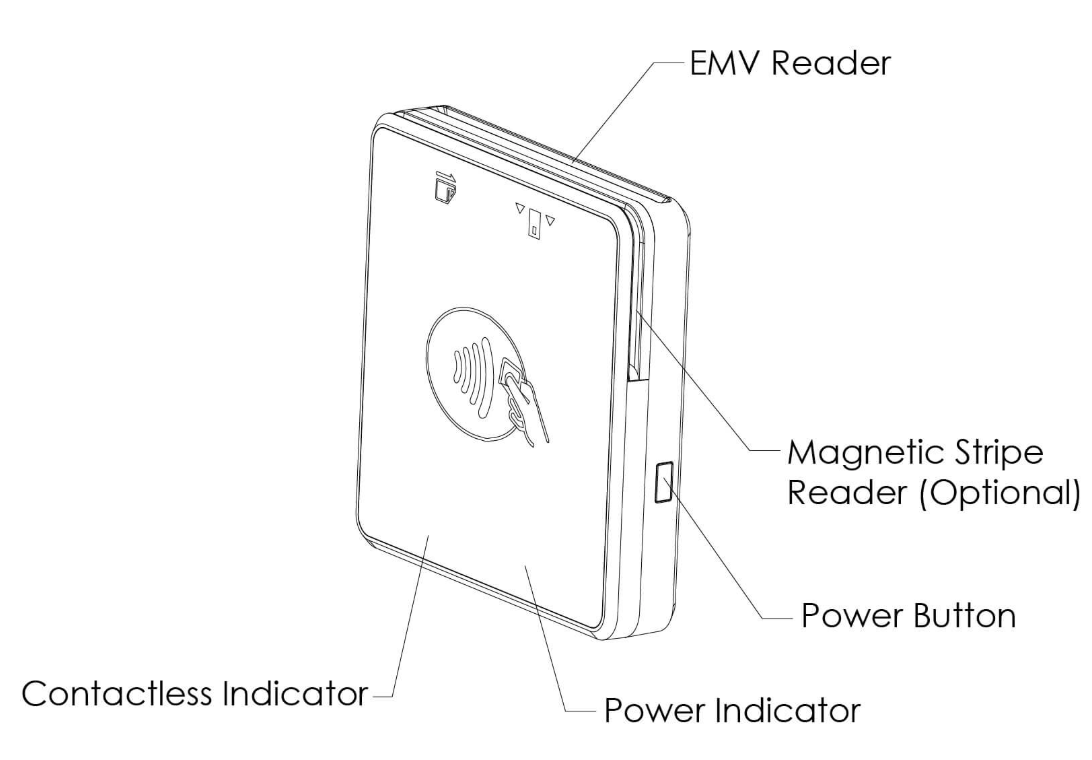
- Power ON: Press and hold the power button until the device beeps, then release
- Power OFF: Press and hold the power button until the four colored lights flash simultaneously
- Green light: More than 20% power
- Orange light with a solid red or solid green light: The D135 has not been paired with a device (phone/tablet) yet and is ready for pairing.
- Red light: Less than 20% power
- Flashing red light: Insufficient power; device will shut down automatically
- Slow flashing red light: Charging in progress
- Solid green light: Fully charged
- Turn on the D135
- Scan for the D135 signal in your device's settings (default name:
PAX D135_XXXX) - Pair your device with the D135 (you may need to enter a passkey)
- Slide the card through the reader slot in either direction
- Ensure the magnetic strip faces toward the device
- Card must be fully inserted while swiping
- Hold card within one inch of the reader
- Center the card over the indicated area at the top of the terminal
- For best results, place as close to the reader as possible
- Do not use industrial strength or abrasive cleaners
- Do not immerse in water or liquid
- Avoid spraying cleaners into EMV Card Reader or ports
- Replace damaged cables immediately
- Do not insert foreign materials into device ports
- Contact professional technicians for repairs
- Avoid exposure to excessive heat, dust, or strong electromagnetic environments
- Do not vibrate, shake, or drop the device
The D135 comes with both hardware and software mechanisms that prevent the terminals from being opened and modified. If the D135 has been tampered with, the following lights will indicate that it not safe for use:
- Blue indicator 1 and 4 are on: The machine is compromised at present.
- Blue indicator 1, 2, 3 and 4 are all on: The machine has been tampered with in the past.
Resources are available for the PAX D135 which you can share with sellers to help explain how to get the terminal setup:
| Resource | Description |
|---|---|
| PAX D135 Setup Guide | Review the user setup guide for the PAX D135 from the terminal's manufacturer. |
| PAX D135 Data Sheet | Data Sheet with specifications for the PAX D135. |