As sellers process payments on Finix, they have open Settlements that accrue transactions. This ensures that each payout is the result of an explicit set of transactions.
As long as a Merchant is processing transactions, they'll have an accruing Settlement. This accruing Settlement has running totals that can almost be seen as the current balance for the seller. These totals constantly change while the seller is processing transactions and can continue to change in value until the settlement closes.
You can find these accruing Settlements in the dashboard or programmatically through the API and Webhooks.
In the dashboard, you can see the currently accruing Settlements under Merchants > Merchant Payouts. Filter the State to Accruing.
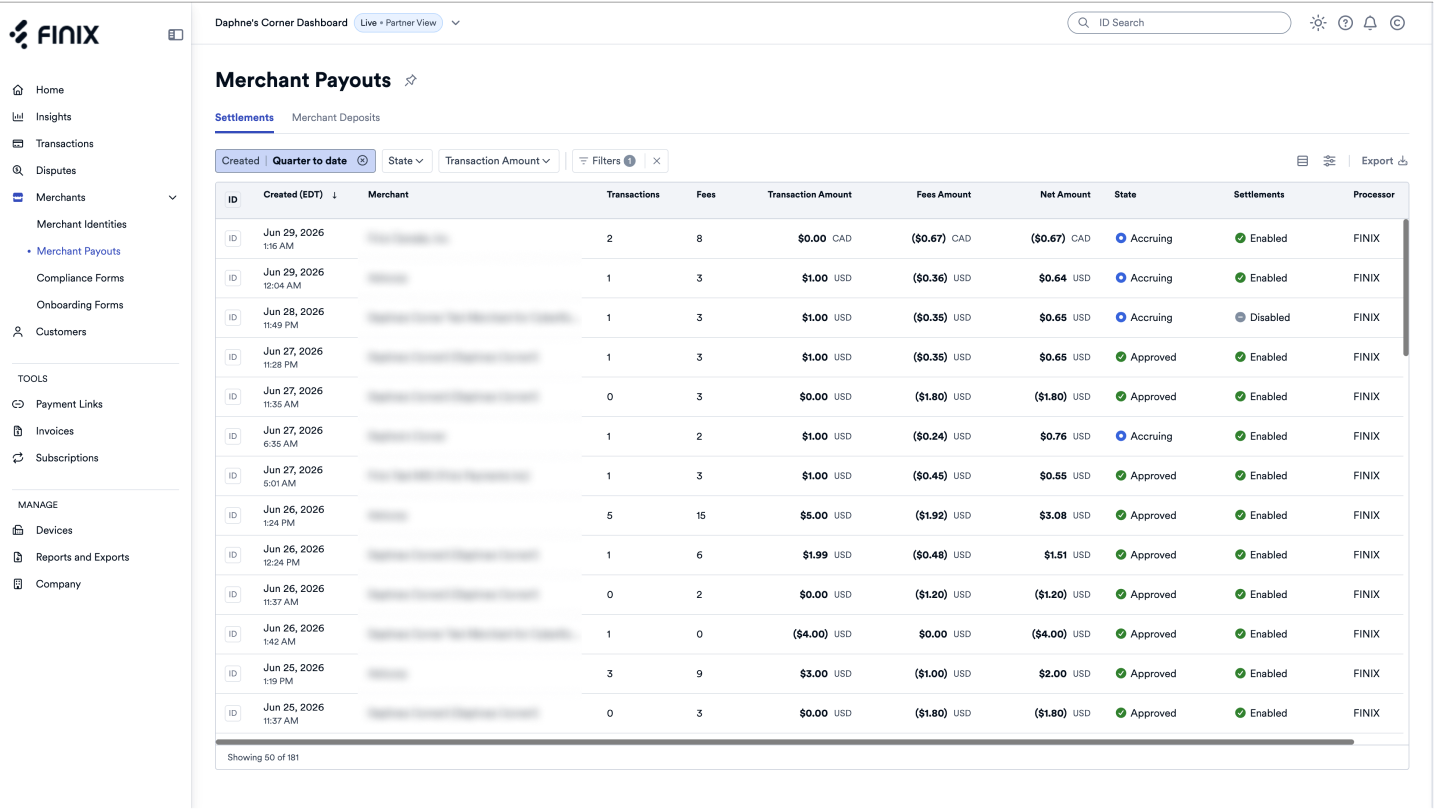
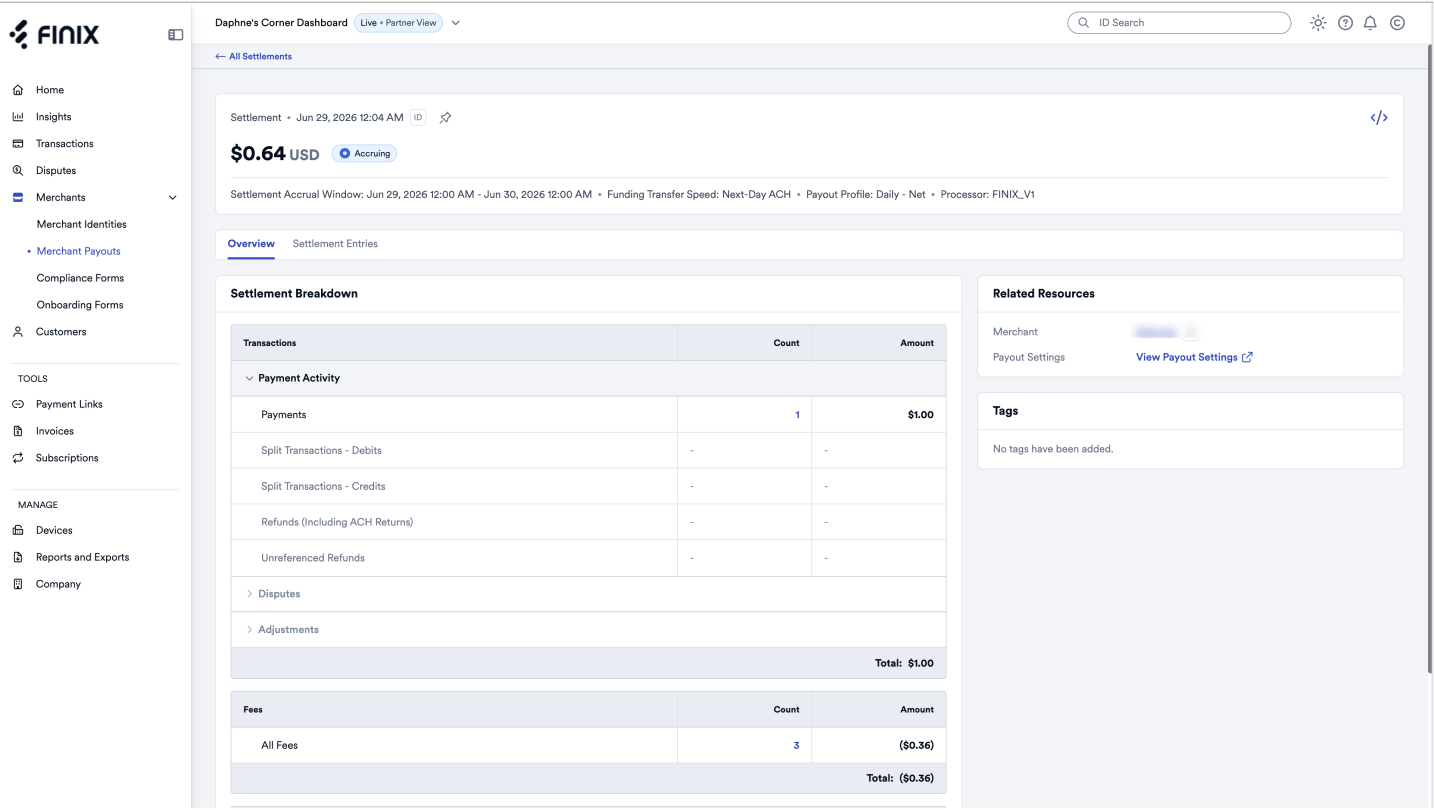
From this page, select an individual accruing Settlement to see its current totals.
You can also view and stop accruing Settlements from the Finix iOS app. Open More > Merchant Payouts, find the Settlement with a status of Accruing, and select Stop Accruing from its ellipsis menu. For more, see Merchant Payouts on Mobile.
You can use the API to interact with accruing Settlements. When a settlement starts accruing we'll send a webhook event with an entity of settlement and a event type of accruing_started.
The PENDING status means the Settlement is actively accruing transactions. Use the id to query the Settlement at any moment for its current totals.
{
  "type": "accruing_started",
  "entity": "settlement",
  "occurred_at": "2018-03-06T20:41:34.277",
  "_embedded": {
    "settlements": [
      {
        "id": "STc4qcqYJn4tKaD6bkHzkzMG",
        "application": "APcL6gyMzeFqDf6RHJid3SEq",
        "tags": {},
        "identity": "ID57iuPnKwuopPn93YsGmvkP",
        "currency": "USD",
        "merchant_id": "MUgRjRrRwDyMbzS6CVQYPECC",
        "created_at": "2022-08-18T19:00:00.93Z",
        "updated_at": "2022-08-18T19:00:00.93Z",
        "processor": "DUMMY_V1",
        "type": "MERCHANT_REVENUE",
        "funds_flow": null,
        "payment_type": null,
        "total_amount": 662154,
        "total_fees": 19232,
        "total_fee": 19232,
        "net_amount": 642922,
        "destination": null,
        "status": "PENDING"
      }
    ]
  }
}Once the settlement closes, you'll see its status update in the dashboard. You'll also receive another webhook event with entity: settlement and type: created for that original accruing Settlement. You can confirm the Settlement is closed by matching the settlement id with the id in the accruing_started webhook event.
Once closed, the Settlement goes through the normal settlement approval and payout process.