If you want to refund transactions processed on standalone terminals like the A800 or Pax A920Pro, you can do so directly from those terminals without using the Finix Dashboard or API.
To refund a payment with a Standalone Terminal:
- Open the Payment App.
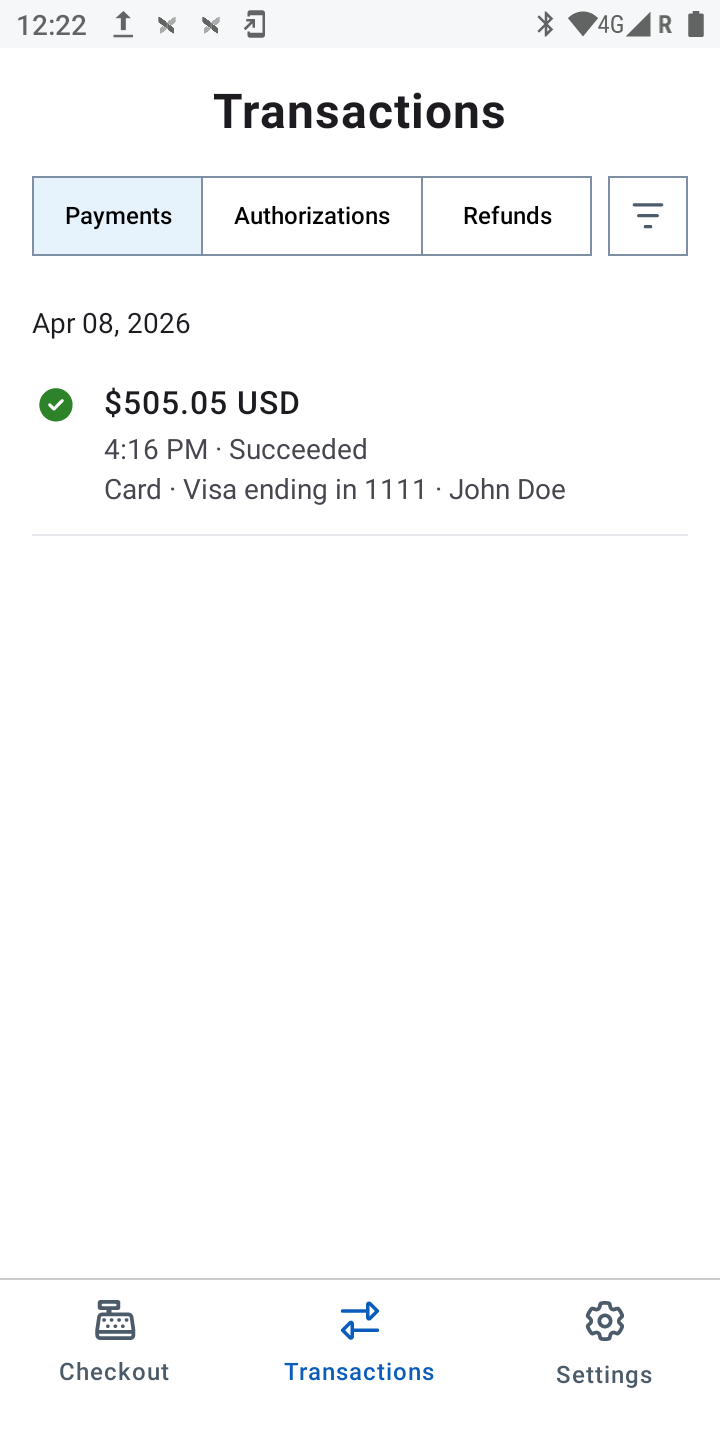
- From the navigation bar at the bottom of the screen, tap Transactions.
- Tap on the payment you wish to refund.
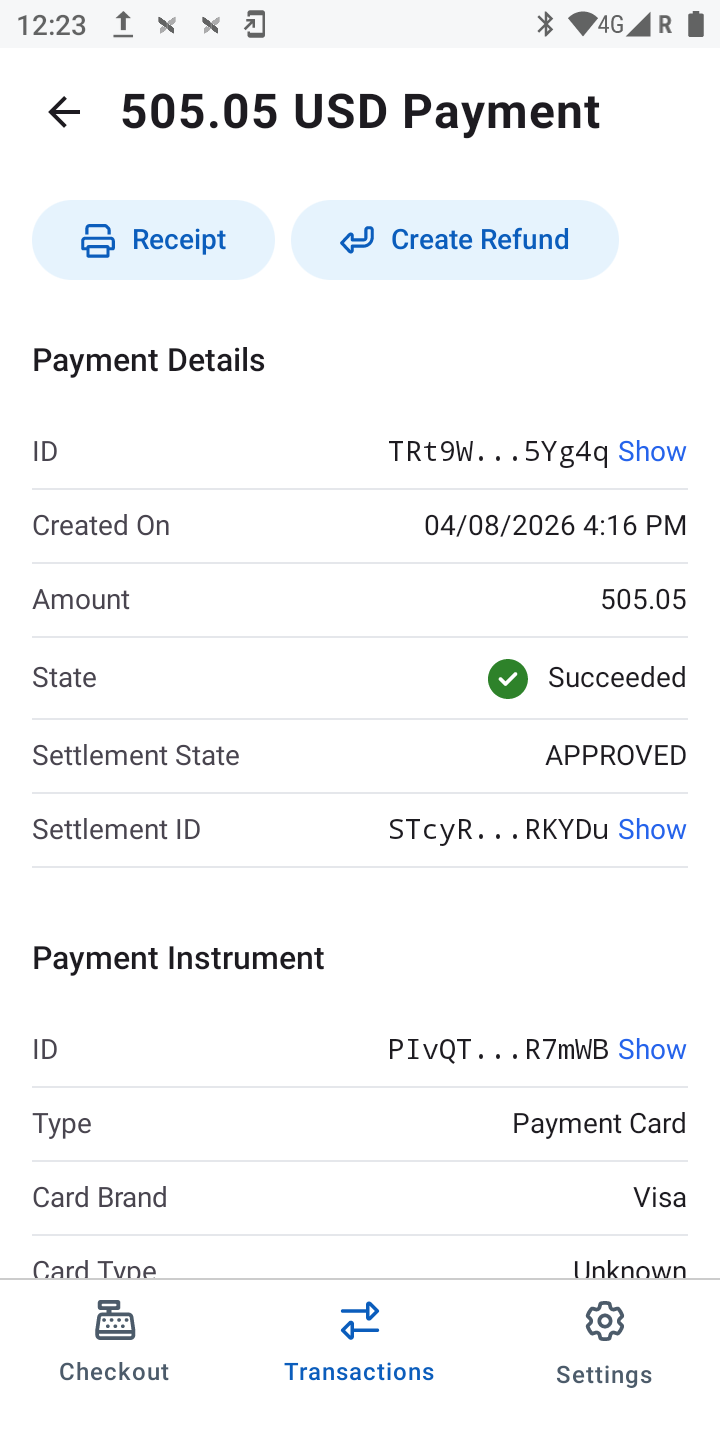
- From the payment details page, tap Create Refund.
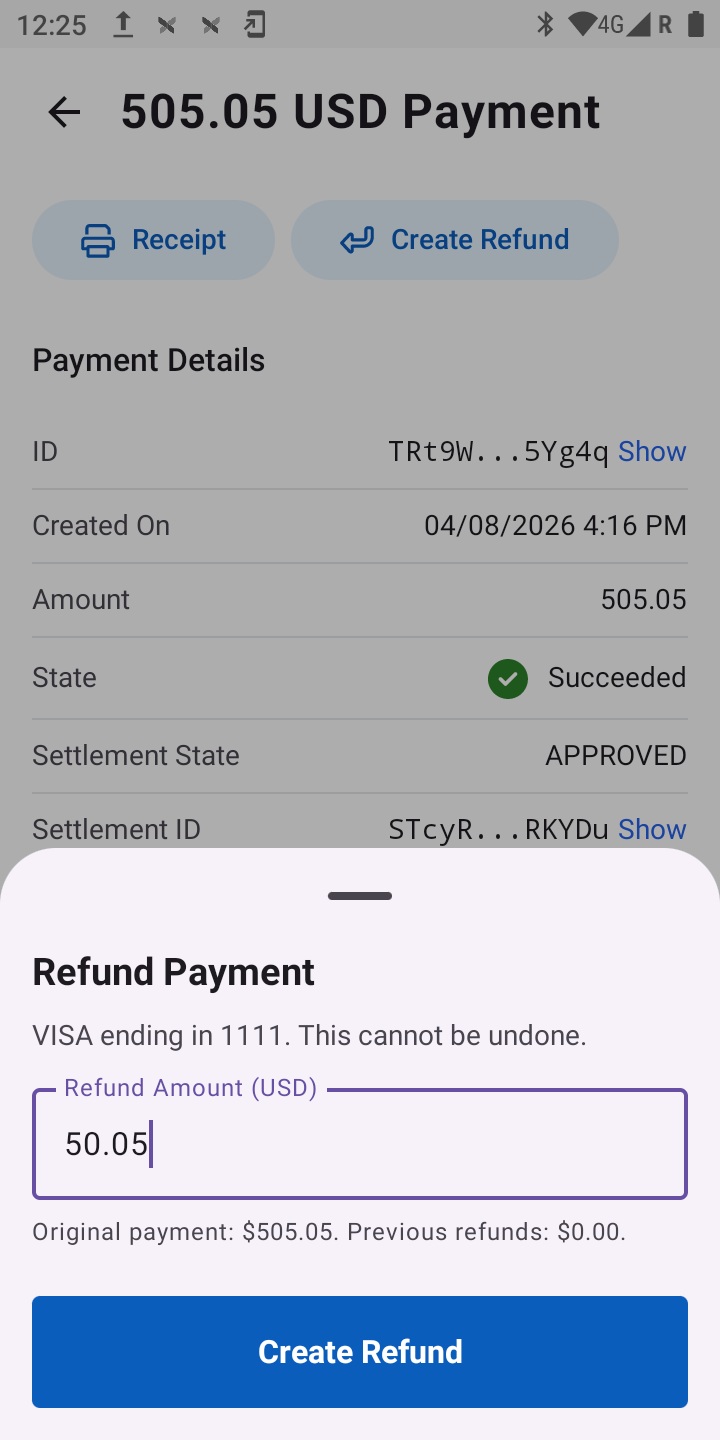
- Enter an amount equal to or less than the payment to refund. Enter a value less than the payment amount for a partial refund.
- Tap Create Refund.
- Go back to the Transactions page, then tap the same payment to refresh the payment details.
- If the refund was successful, the status appears as "Succeeded" in the Refunds section.
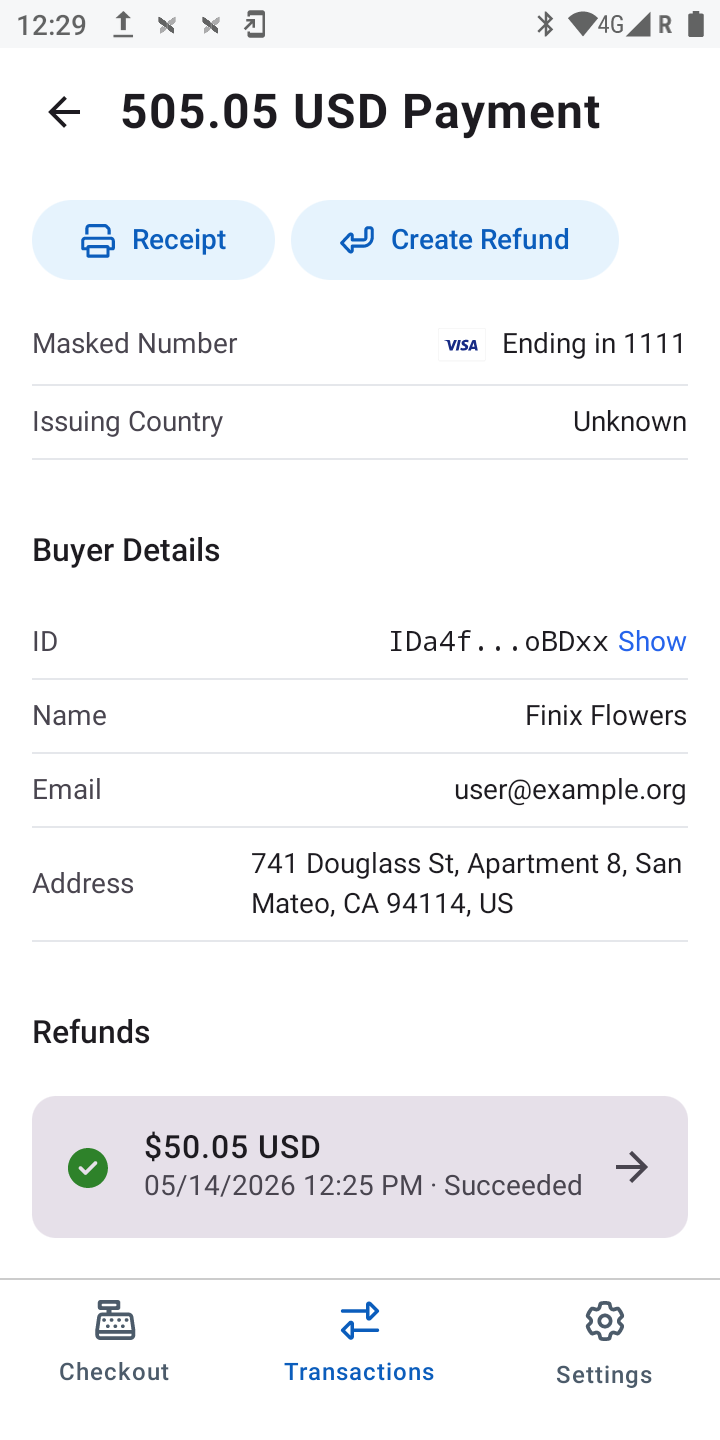
- Tap the refund to view details including the refund state, the settlement it was placed into, the buyer, and the payment instrument.
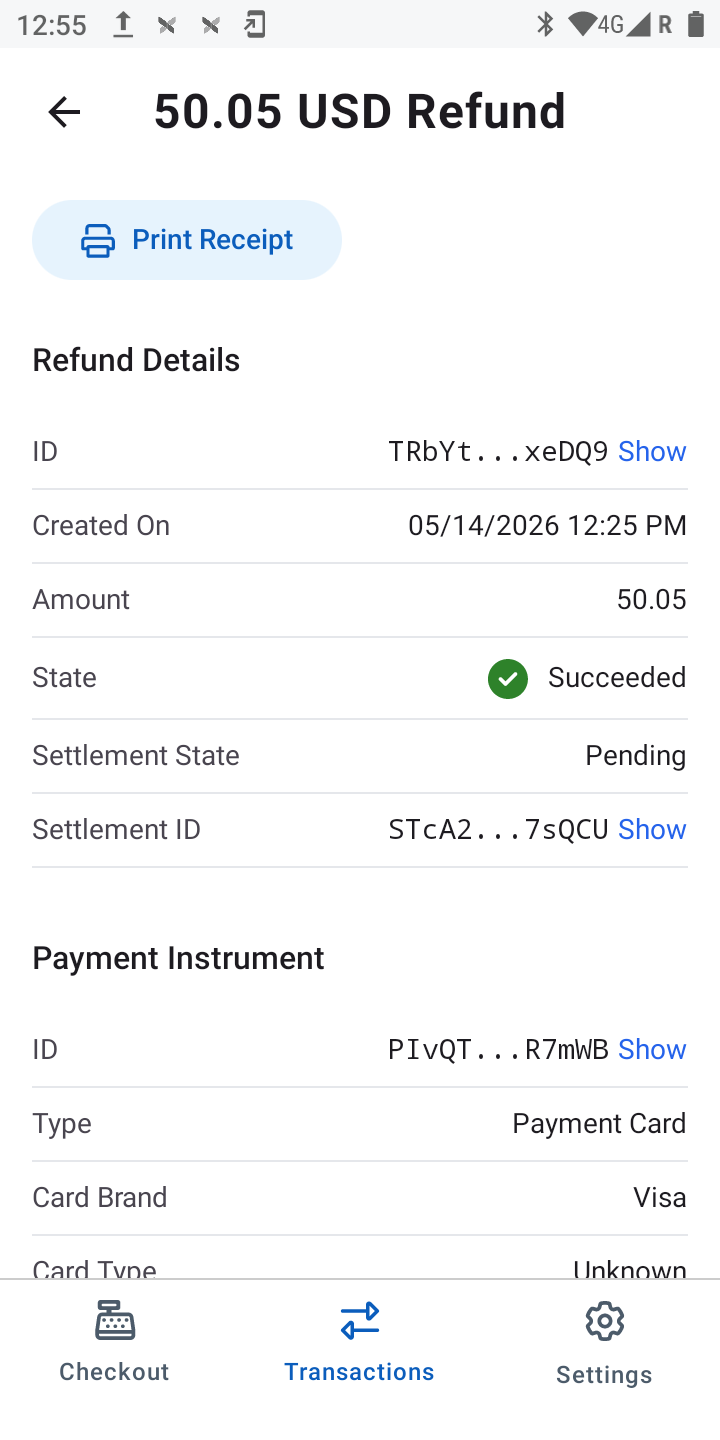
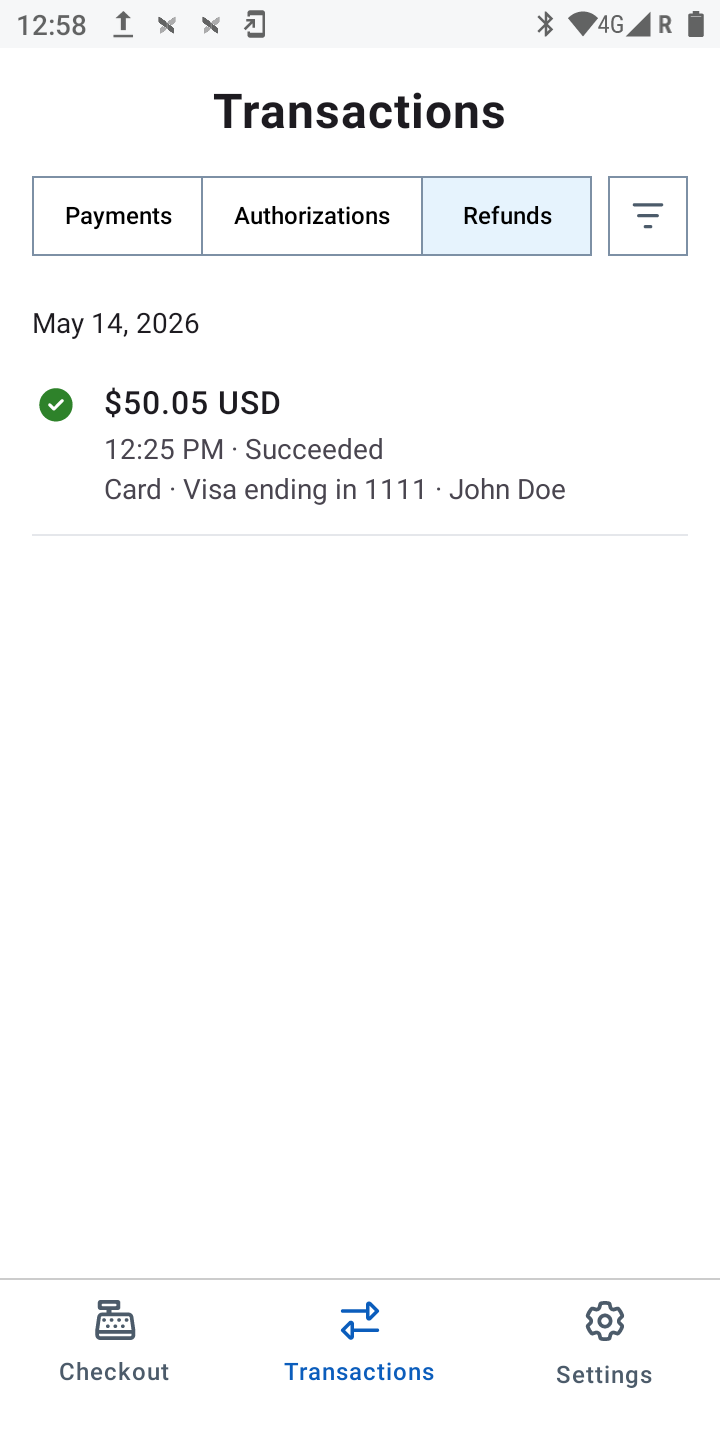
- To view all issued refunds, return to the Transactions screen and tap the Refunds tab.