Accept payments with Finix on Zuora.

Zuora is the leading subscription management platform, helping businesses launch, manage, and scale recurring revenue models. It handles the full quote-to-cash lifecycle, from product catalog and pricing to invoicing, collections, and revenue recognition. Finix integrates with Zuora through the Cybersource payment gateway, enabling merchants to process payments and automatically reconcile transaction data within their Zuora billing environment.
- Finix Live Account
- Active Zuora tenant
To create a Finix account, you can follow our step-by-step guide or sign up directly for a live or sandbox account.
We recommend choosing Direct Merchant as your Customer Type.
Finix supports Zuora via our Cybersource Gateway integration. Please note that there is an additional fee for using our Cybersource integration.
For more information, please reach out to your Finix point of contact.
- To create a Cybersource integration, navigate to the Integrations page on your Finix Dashboard.
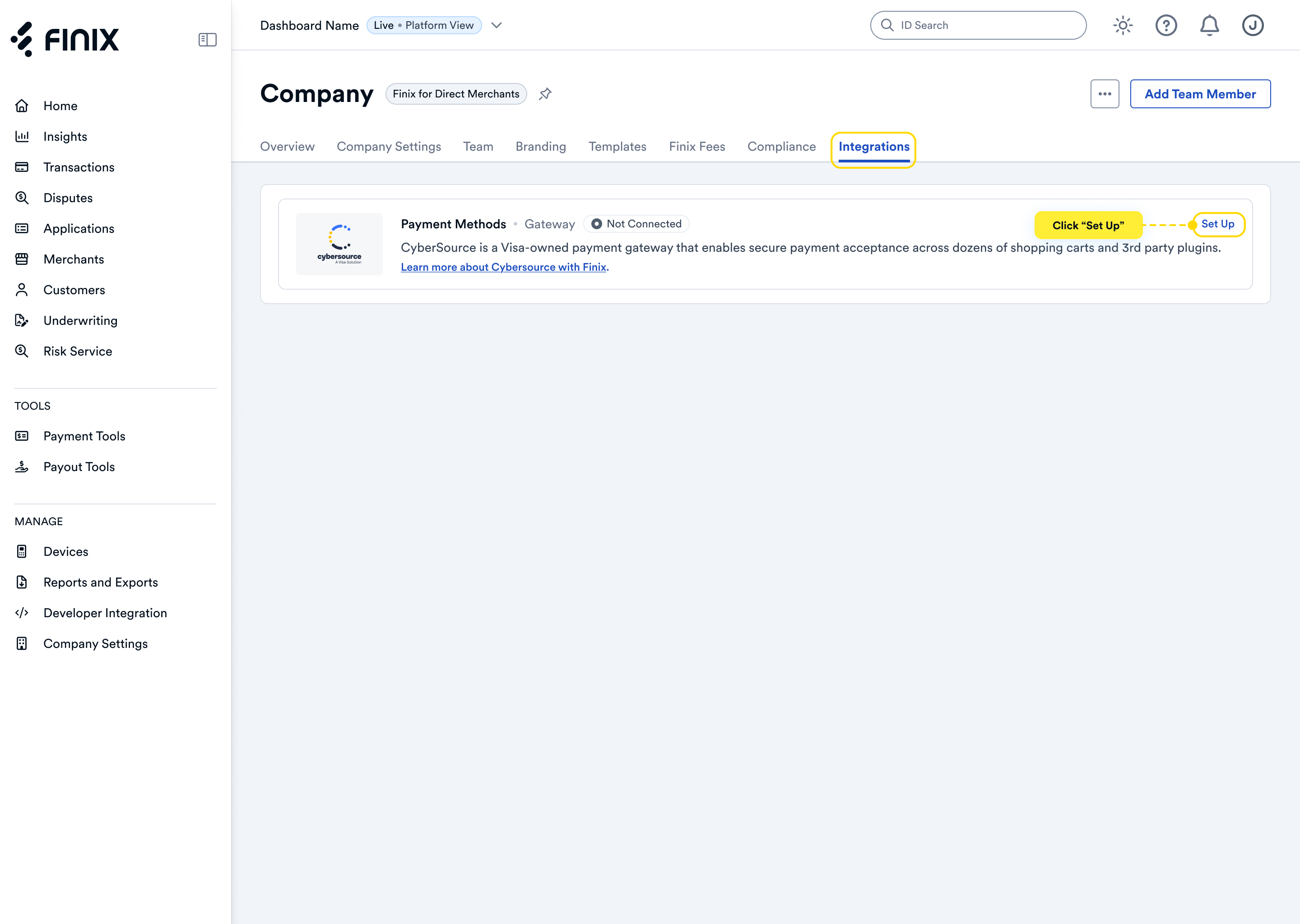
- Sign up for Cybersource. For detailed instructions, see the Cybersource integration guide.
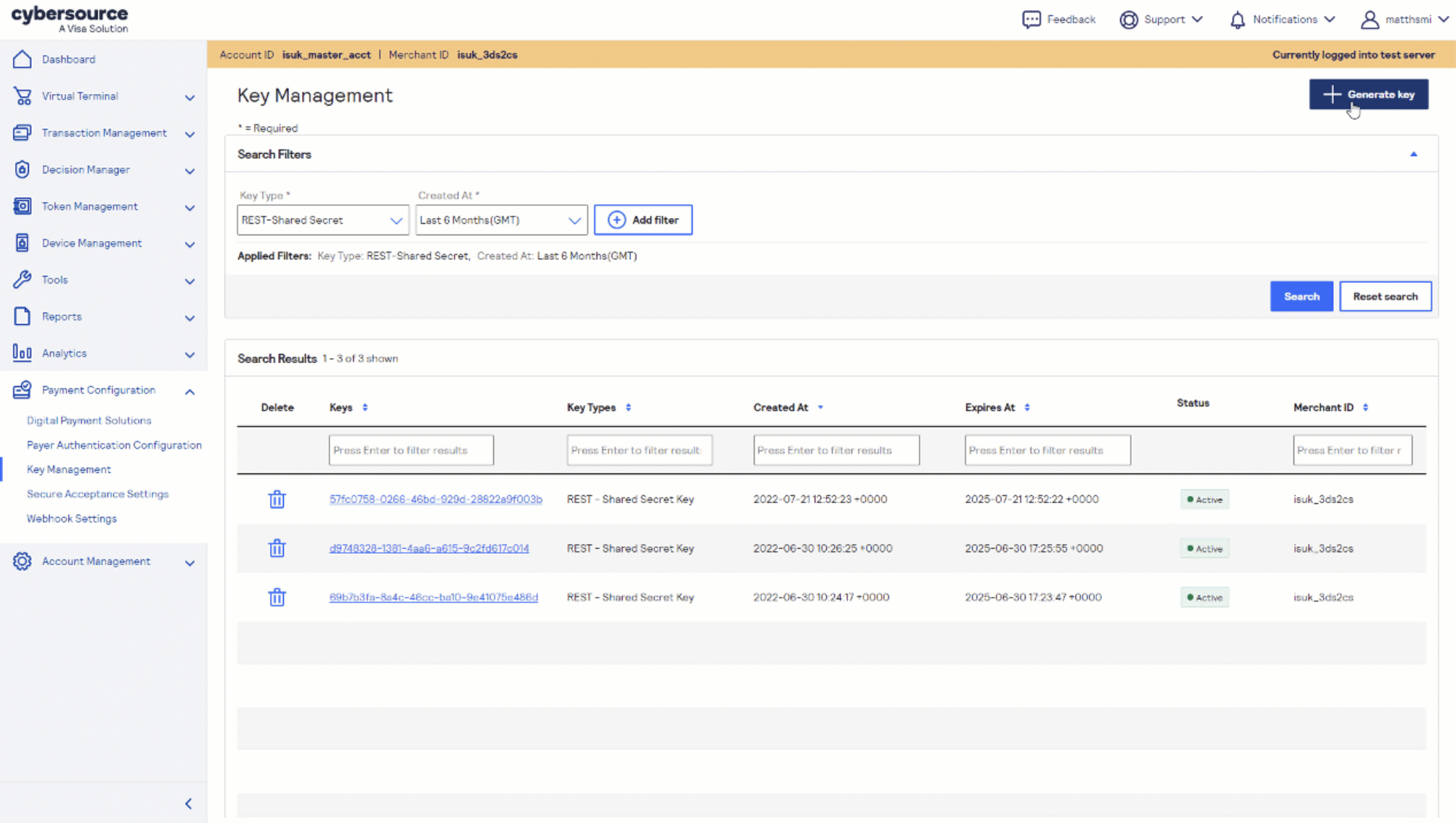
- After accepting the Cybersource invitation email, retrieve the following credentials from the Cybersource Business Center under Payment Configuration → Key Management — you'll need these to configure Zuora:
- Merchant ID (also called Organization ID)
- REST API Key
Before proceeding, ensure your Zuora environment is ready:
- Active Zuora tenant with Payments enabled
- Administrator access to Settings → Payments
- Cybersource gateway integration enabled for your tenant (contact your Zuora account team if not already enabled)
Before you proceed, ensure you have:
- Approved Finix Merchant Account
- Cybersource Gateway Integration linked to your Finix Merchant Account
- Cybersource credentials from Step 2
In your Zuora admin, navigate to Settings → Payments → Setup Payment Gateway and select CyberSource (use CyberSource Tokenization if you plan to store and reuse payment methods).
Enter the following credentials from your Finix-provisioned Cybersource account:
- Merchant ID - your Cybersource Organization ID
- Security Key - for CyberSource Payment API v2.0, copy the REST API key content from the Cybersource Business Center and paste it into this field
- Use Gateway Test Environment - check this for sandbox testing; uncheck for production
Save the gateway instance and assign it to the relevant Zuora billing entity.
After completing configuration, you can now take payments through Finix via our Cybersource Gateway Integration.
To learn more about our Cybersource Gateway Integration, you can read our guide.
If you need additional assistance contact support@finix.com.
When you run a transaction on Zuora, you'll see it:
- In your Zuora admin under Payments → Transactions.
- In the Cybersource Business Center.
- In your Finix Dashboard under Transactions → Payments.
These transactions will be ingested by Finix and added to Settlements. To track transfers between Finix and Cybersource, see how to locate Cybersource transactions.