Accept payments with Finix on Odoo.

Odoo is an open-source business management suite used by more than 12 million users globally. It brings together ERP, CRM, eCommerce, accounting, inventory, and more in a single modular platform. Its flexible app marketplace and headless eCommerce capabilities make it a popular choice for businesses of all sizes. Finix integrates with Odoo through the Cybersource payment gateway, enabling merchants to accept payments directly within their Odoo storefront and reconcile transaction data within their Finix Dashboard.
- Finix Live Account
- Active Odoo instance (Odoo 16 or later)
To create a Finix account, you can follow our step-by-step guide or sign up directly for a live or sandbox account.
We recommend choosing Direct Merchant as your Customer Type.
Finix supports Odoo via our Cybersource Gateway integration. Please note that there is an additional fee for using our Cybersource integration.
For more information, please reach out to your Finix point of contact.
- To create a Cybersource integration, navigate to the Integrations page on your Finix Dashboard.
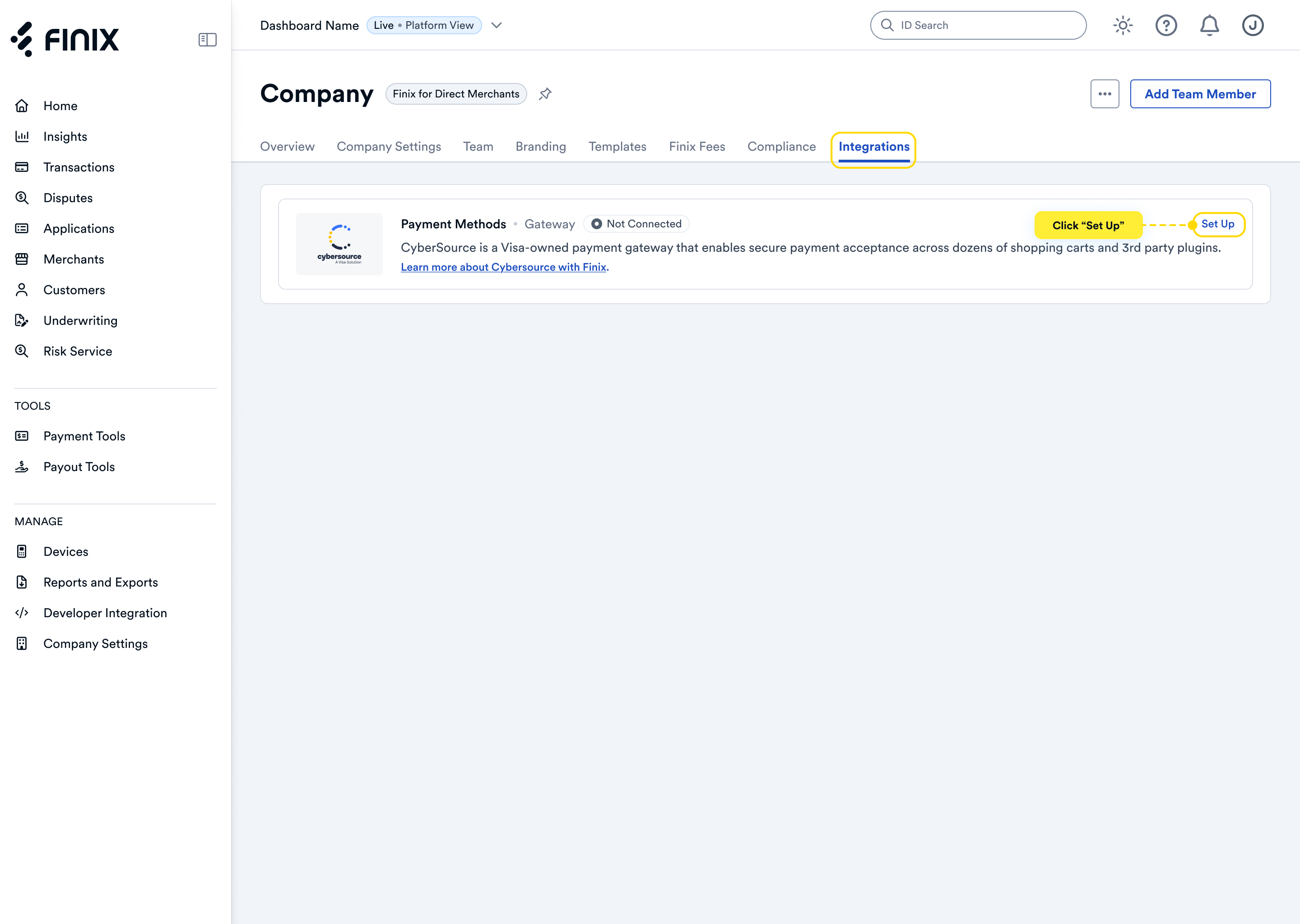
- Sign up for Cybersource. For detailed instructions, see the Cybersource integration guide.
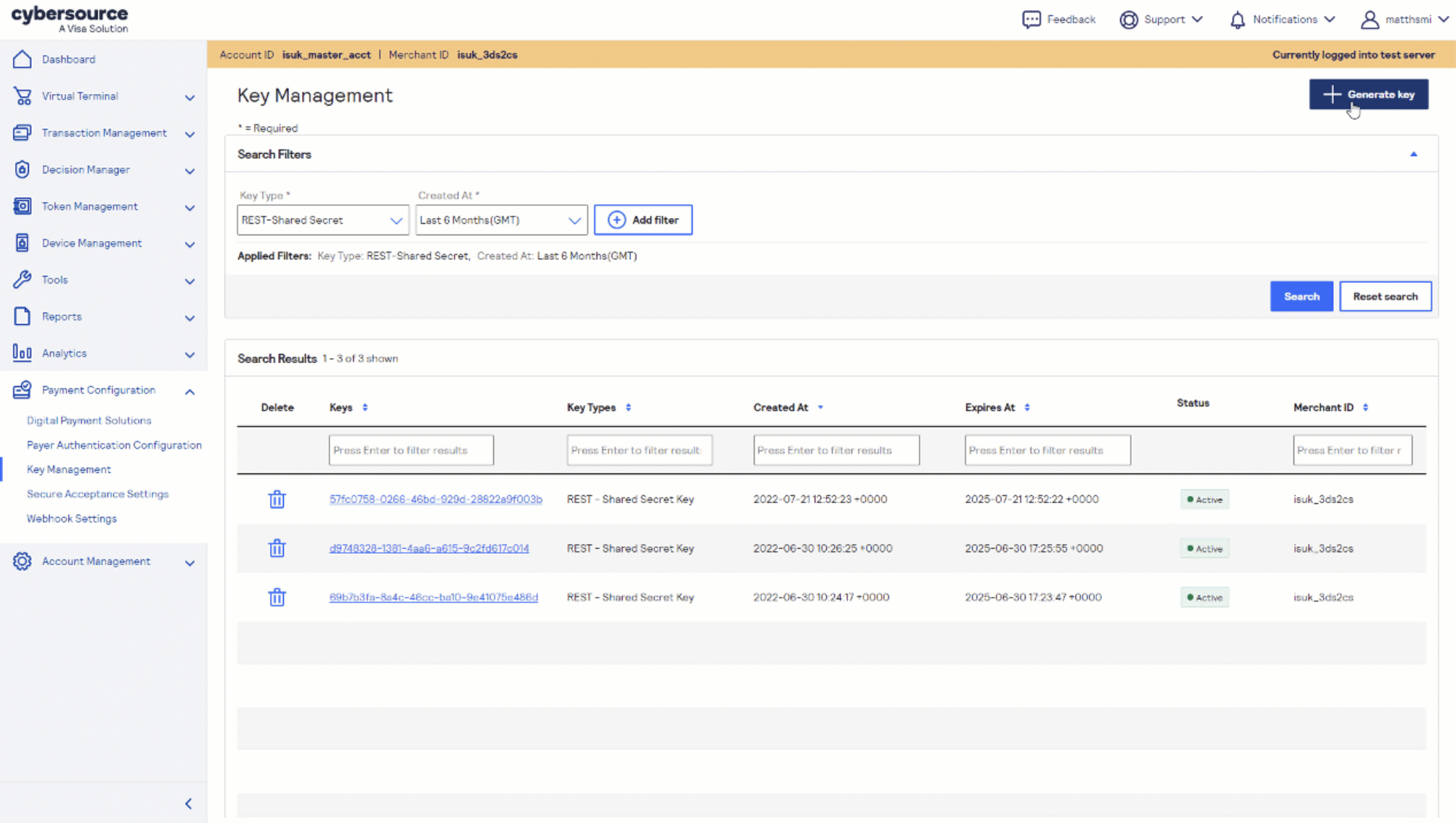
- After accepting the Cybersource invitation email, retrieve the following credentials from the Cybersource Business Center under Payment Configuration → Key Management — you'll need these to configure Odoo:
- Merchant ID (also called Organization ID)
- REST API Key
Before you proceed, ensure you have:
- Approved Finix Merchant Account
- Cybersource Gateway Integration linked to your Finix Merchant Account
- Cybersource credentials from Step 2
- Odoo 16 or later
- The following Odoo apps installed: eCommerce, Website, Invoicing, and Discuss
For full details, refer to the Odoo CyberSource Payment Gateway module page.
Install the required Python dependency on your Odoo server:
pip install suds-py3Then purchase and download the ws_payment_cybersource module from the Odoo Apps Store. Add the module folder to your Odoo add-ons path and activate it from Apps.
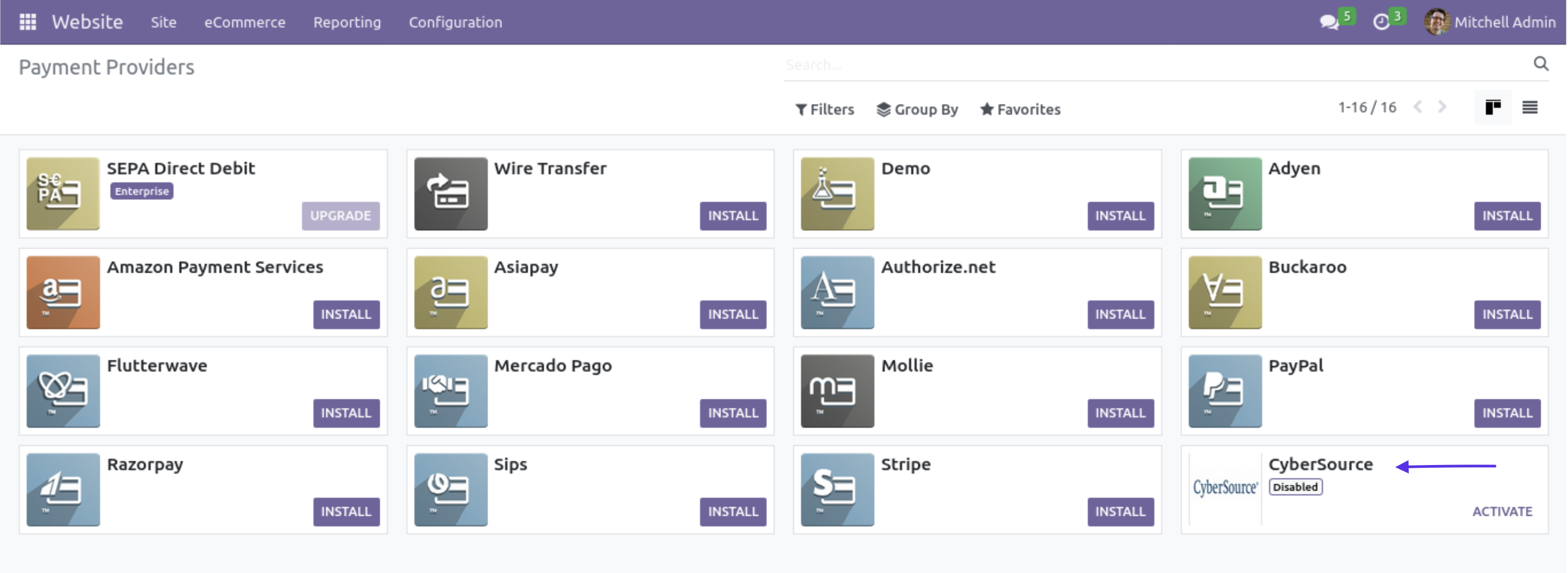
- In your Odoo instance, navigate to Website → Configuration → Payment Transactions.
- Select CyberSource from the payment provider list.
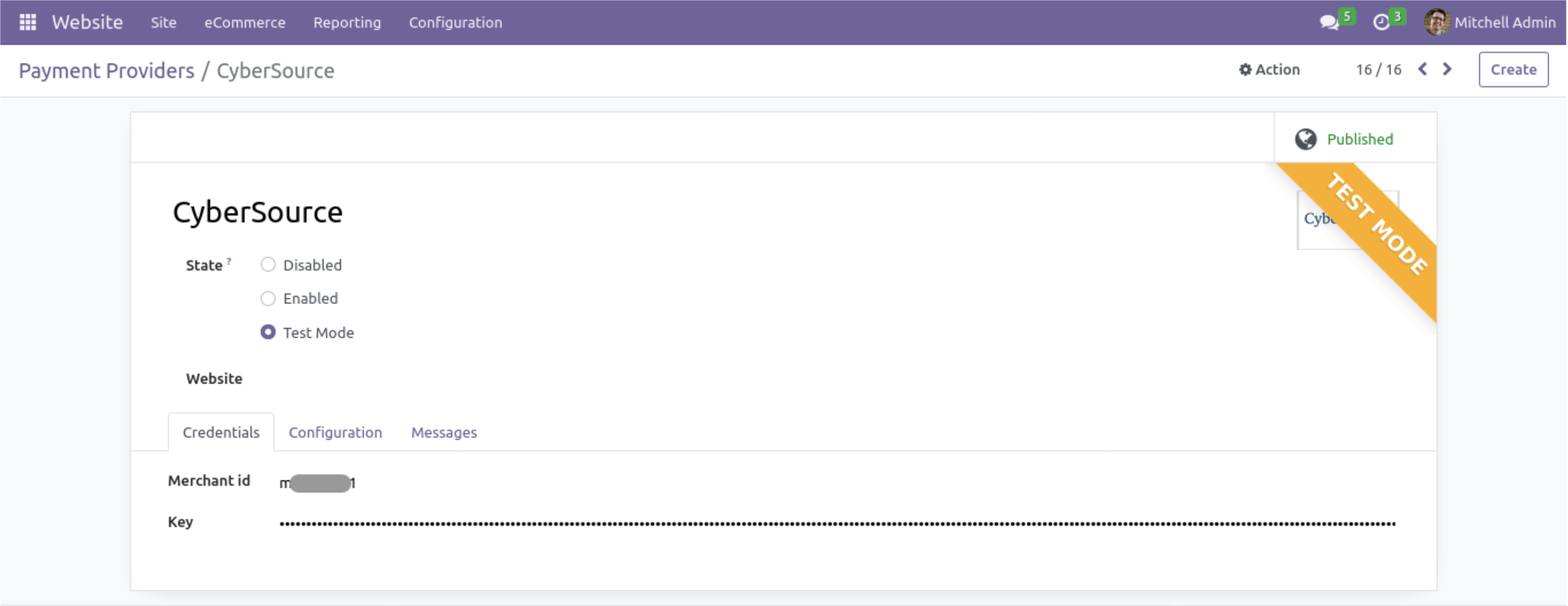
- Enter the following credentials from Step 2:
- Merchant ID - your CyberSource Organization ID
- CyberSource Key - your CyberSource authentication key
- Configure the associated Payment Journal.
- Set the provider to Enabled for live payments or Test Mode for sandbox.
- Save the configuration.
After completing configuration, you can now take payments through Finix via our Cybersource Gateway Integration.
To learn more about our Cybersource Gateway Integration, you can read our guide.
If you need additional assistance contact support@finix.com.
When you run a transaction on Odoo, you'll see it:
- In your Odoo dashboard under Sales → Orders.
- In the Cybersource Business Center.
- In your Finix Dashboard under Transactions → Payments.
These transactions will be ingested by Finix and added to Settlements. To track transfers between Finix and Cybersource, see how to locate Cybersource transactions.