Accept payments with Finix on Tagada.

TagadaPay is a payment orchestration and commerce platform that helps merchants accept, manage, and track payments across multiple channels through a unified interface. It enables businesses to monitor transactions, configure payment flows, and access detailed reporting while building scalable and modern commerce systems.
Connecting Finix to TagadaPay allows merchants to process payments using Finix’s payments infrastructure directly within the Tagada platform.
- Finix Sandbox Account to process Sandbox transactions. You will not be able to move real money in this environment.
- Finix Live Account to run card or ACH transactions.
To create a Finix account, you can follow our step-by-step guide or sign up directly for a live or sandbox account.
We recommend choosing Direct Merchant as your Customer Type.
API Keys are specific to either the Sandbox or Live environments, depending on whether you get them from the Sandbox or Live Dashboard. Sandbox Keys cannot be used in the Live Environment and vice-versa. Learn more here.
To create an API Key:
- Navigate to Developers → API Keys in the Finix dashboard.
- Click Create API Key and enter a Display Name.
- Save the credentials somewhere secure.
Save your password somewhere secure. You cannot re-copy the password, but you can always create another API Key. API Keys are sensitive data and must be treated like passwords. Store them securely and only share them on an as-needed basis.
To learn more see our API Keys documentation.
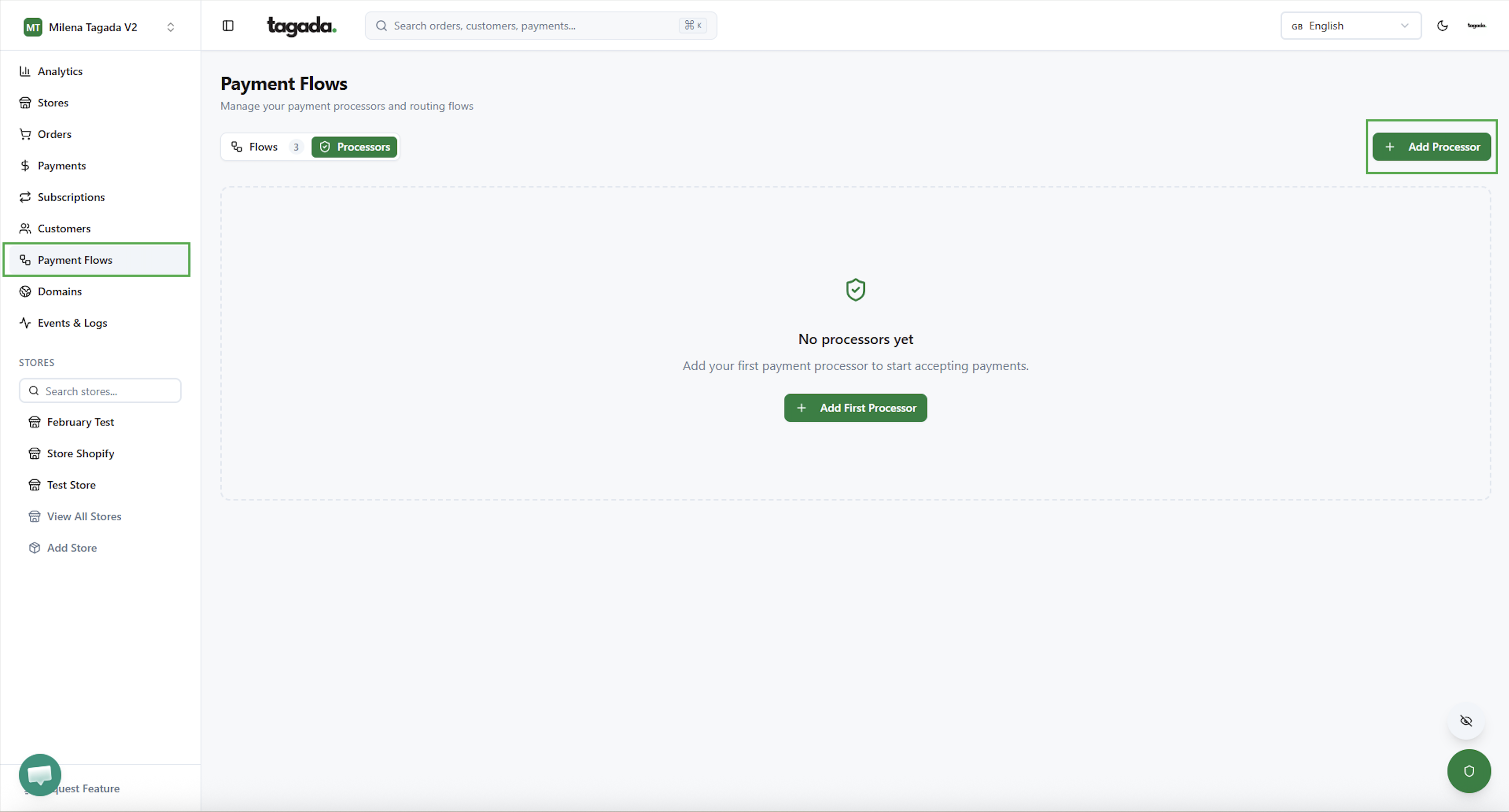
In the Tagada Dashboard, navigate to Payment Flows from the left sidebar. Click + Add Processor in the top-right corner.
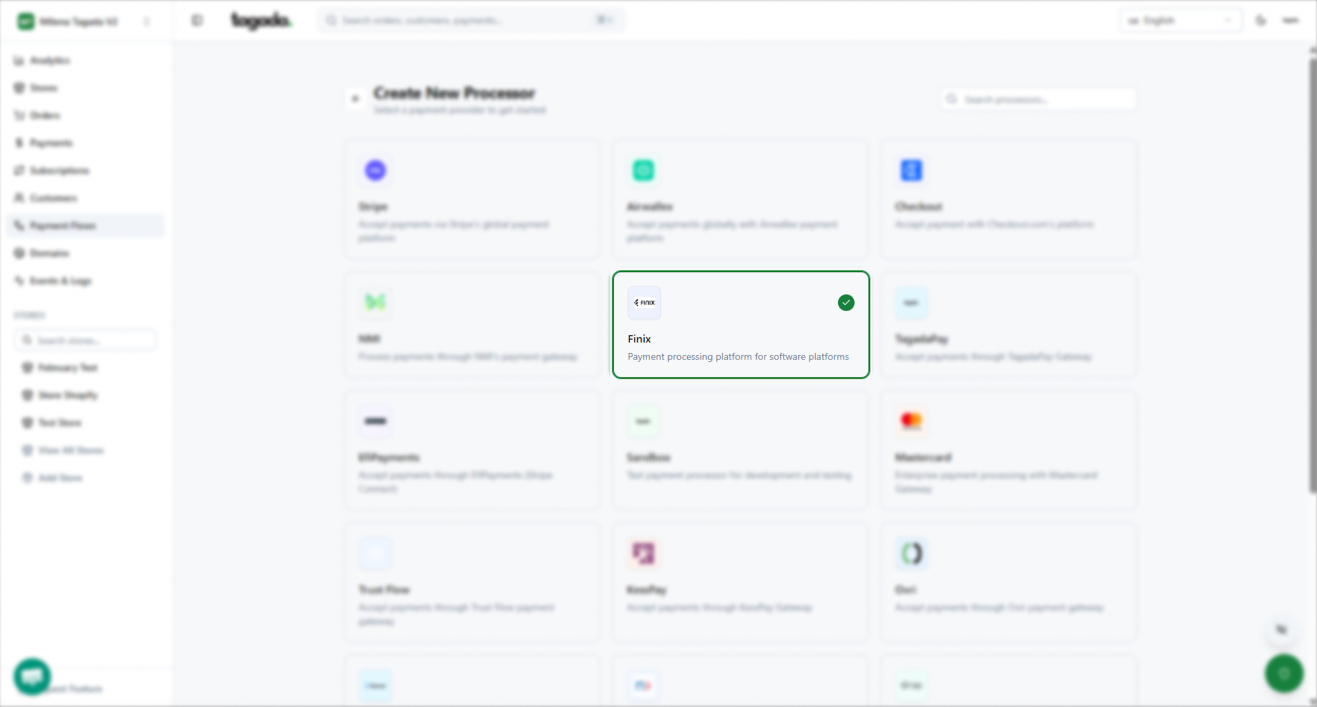
Search for and select Finix as the processor, then click Next at the bottom of the page.
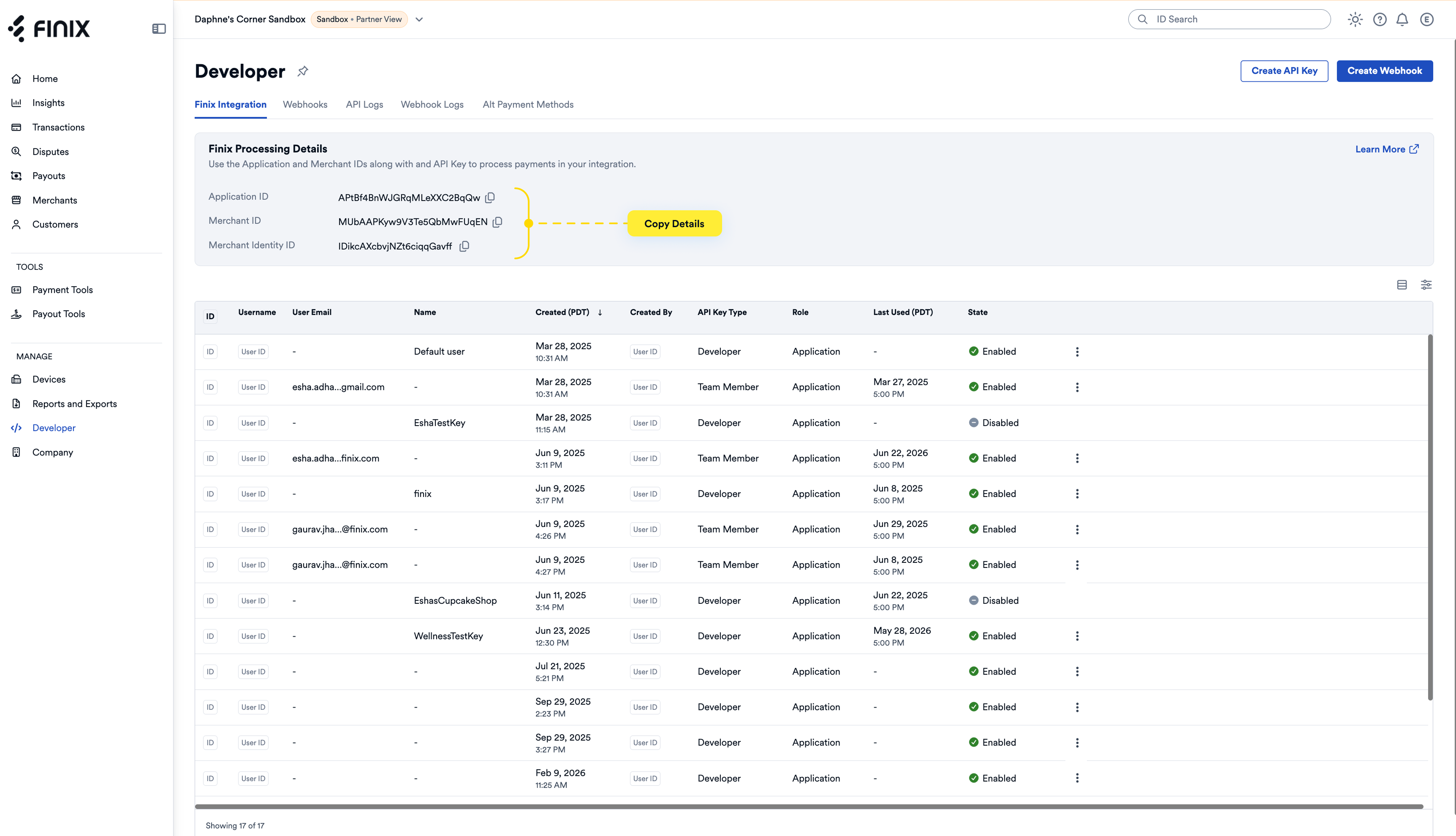
Enter your Finix credentials in the corresponding fields within the Tagada gateway profile. You can locate these details in your Finix Dashboard:
- Name: Enter the processor name.
- Currency Settings: Select all currencies supported by this merchant and the processing capacity.
- Finix API Settings:
- Merchant ID: Available in your Finix Dashboard under Developer → Finix Integration → Merchant ID
- API Username: The username associated with your Finix API Key created in Step 2
- API Password: The password associated with your Finix API Key created in Step 2
- Use Sandbox Mode: Enable this option when testing with a sandbox merchant account.
- Webhook Settings: Enter the URL endpoint to receive webhook event notifications.
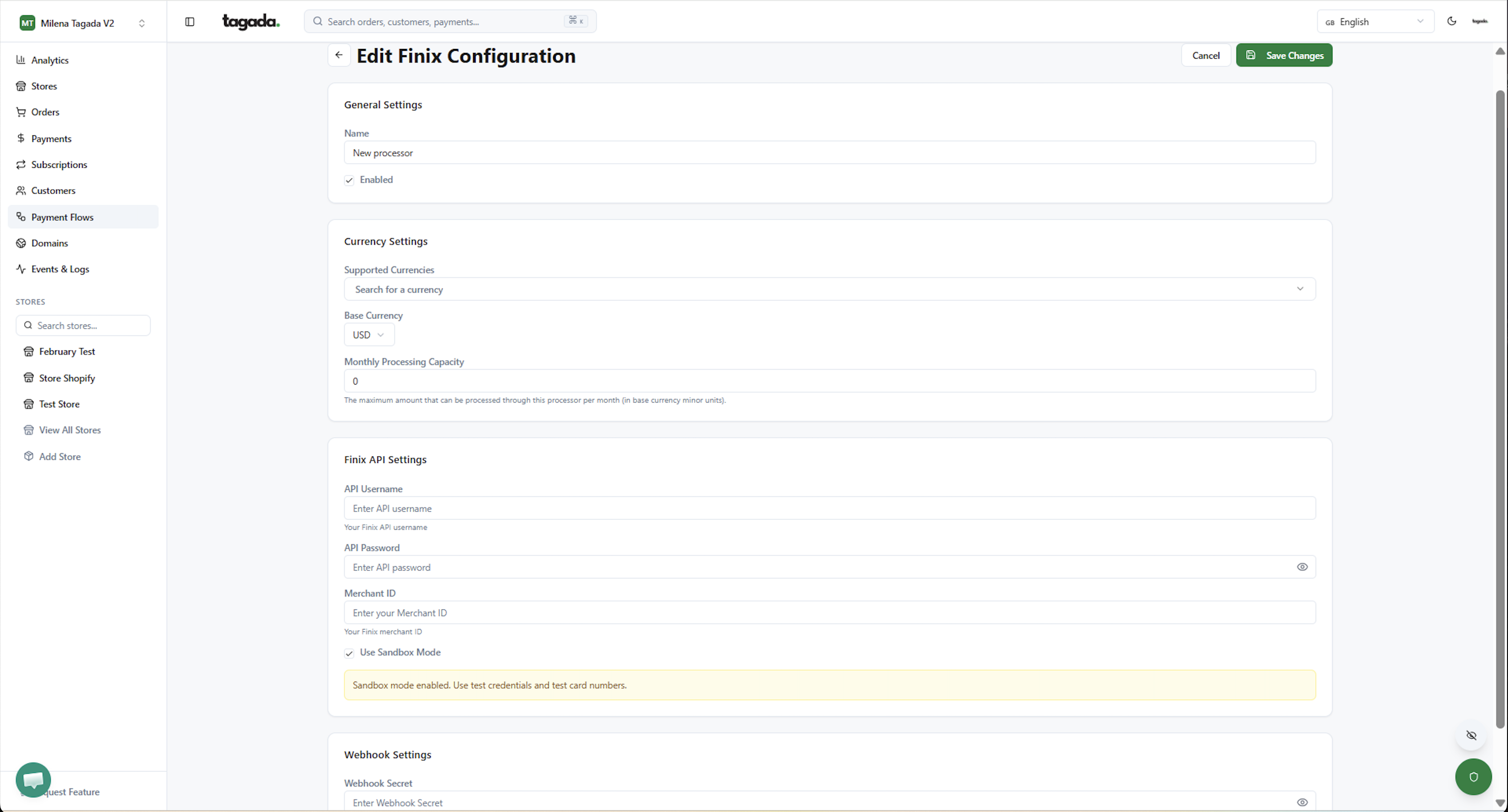
These credentials allow Tagada to securely connect to your Finix account for payment processing.
To learn more about Tagada, visit TagadaPay Documentation.
You can locate payments using the Payment ID in the Finix Dashboard.
In the Tagada Dashboard, navigate to Payments from the left sidebar to view all payments. Select a payment view the payment details.
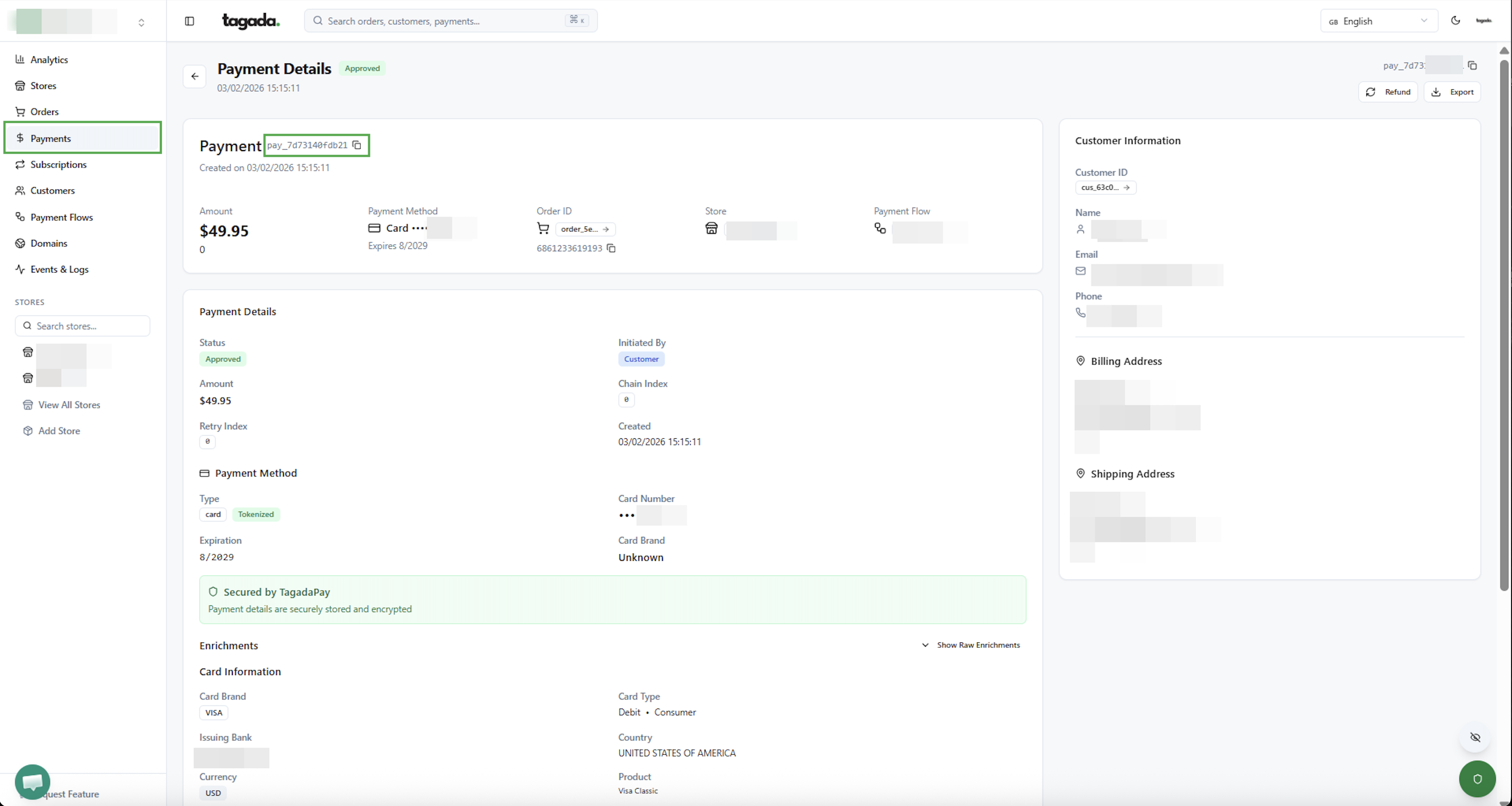
Then, in the Finix Dashboard filter by Tag Value:
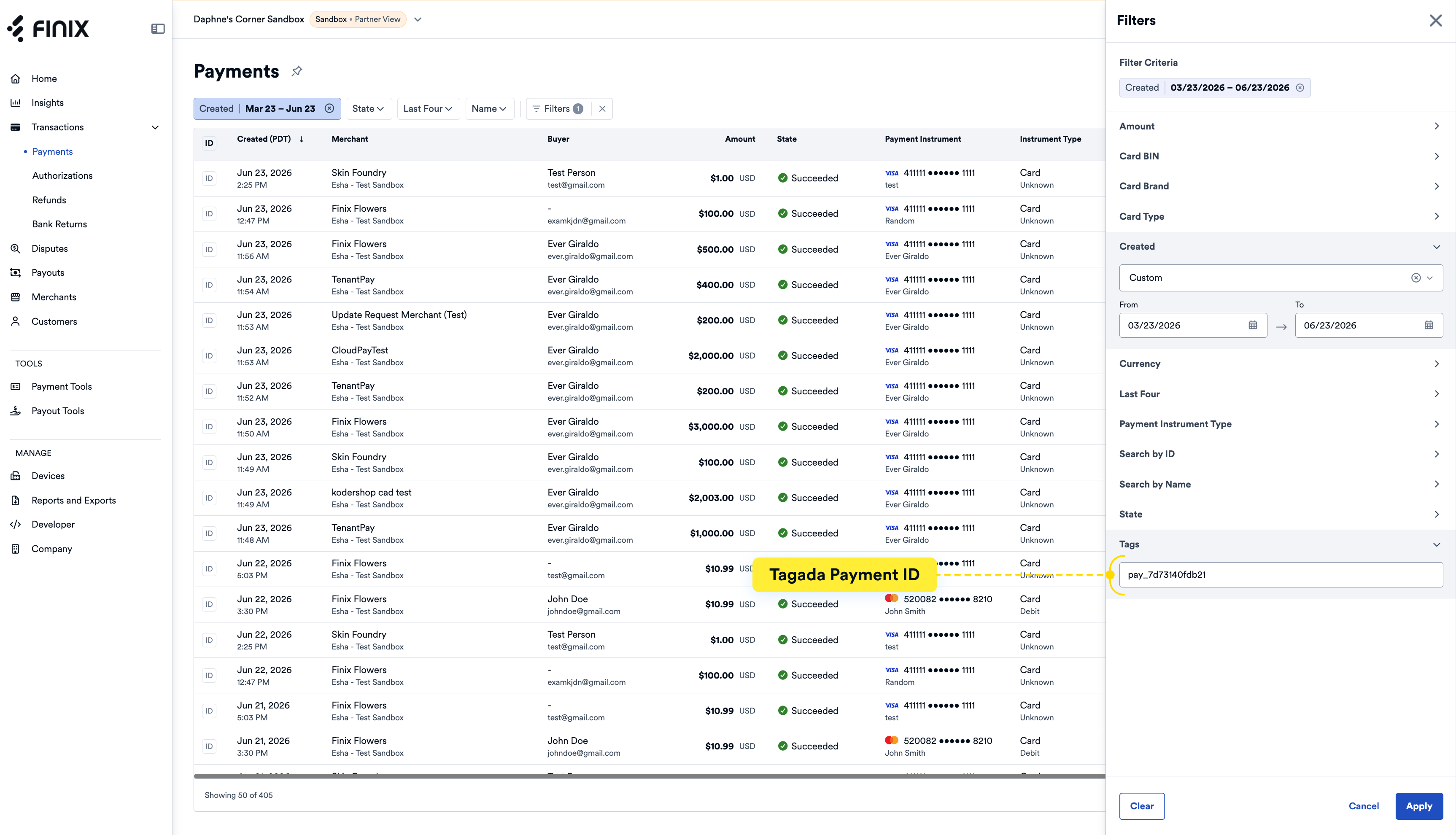
- Navigate to the Payments list page.
- Click on the Filters.
- Under Tags, enter the payment ID copied from Tagada Dashboard.
- Click Apply.