Accept payments with Finix on Shopify.

Shopify is a leading cloud-based, all-in-one commerce platform that enables individuals and businesses to build, customize, and scale online store without complex development requirements. It offers a comprehensive suite of tools, including website builders, secure payment processing, inventory management, and built-in marketing capabilities. With its flexible architecture and extensive app ecosystem, Shopify supports businesses at every stage.
- Finix Live Account
- US Based Shopify Account
To create a Finix account, you can follow our step-by-step guide or sign up directly for a live or sandbox account.
We recommend choosing Direct Merchant as your Customer Type.
Finix supports Shopify via our Cybersource Gateway integration. Please note that there is an additional fee for using our Cybersource integration.
For more information, please reach out to your Finix point of contact.
- To create a Cybersource integration, navigate to the Integrations page on your Finix Dashboard.
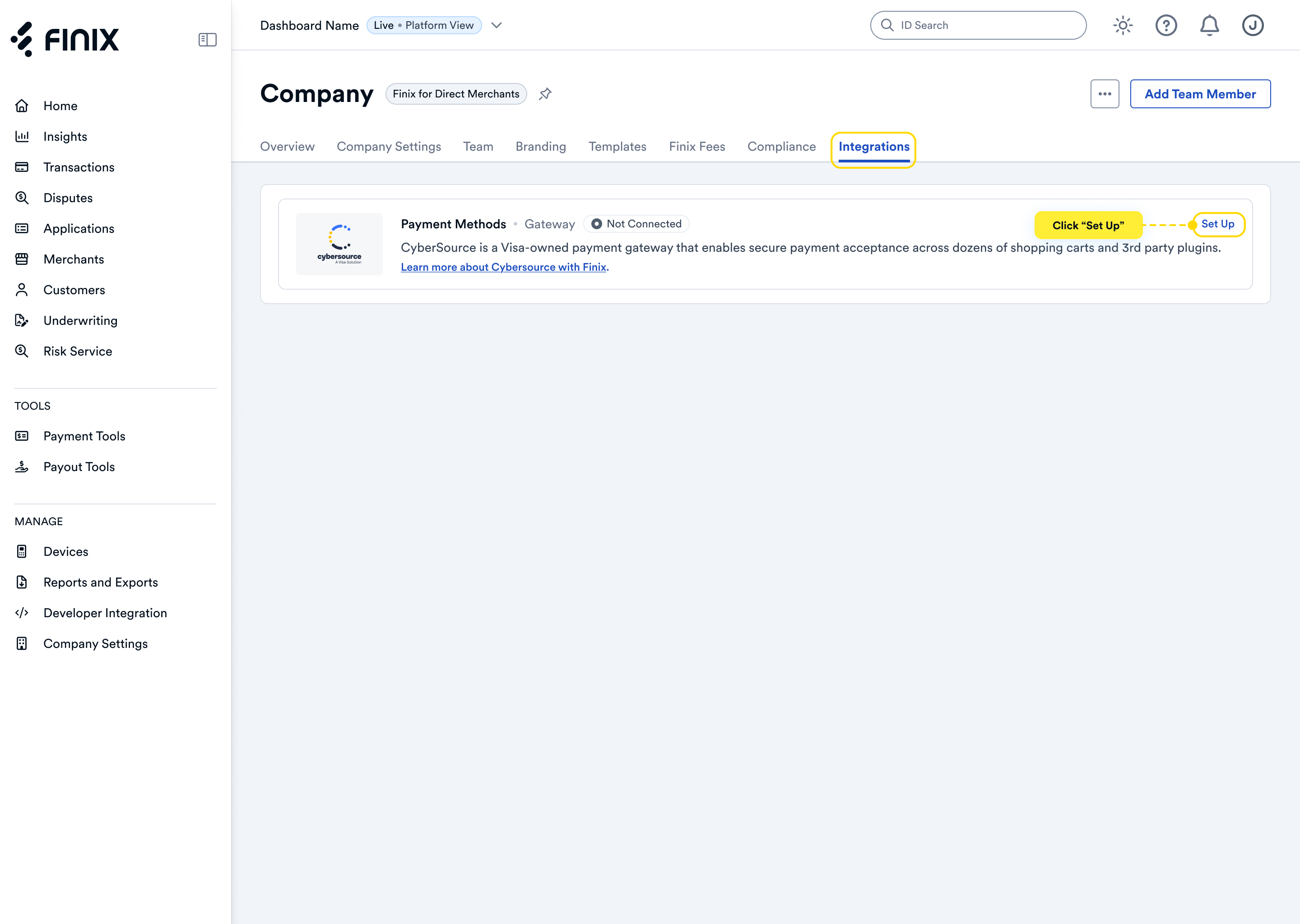
- Sign up for Cybersource. For detailed instructions, see the Cybersource integration guide.
To proceed to the next step, please ensure your Shopify account is fully registered. This includes completing all required onboarding steps and submitting KYC/KYB information to Shopify.
Before you proceed forward, ensure you have:
- Approved Finix Merchant Account
- Cybersource Gateway Integration linked to your Finix Merchant Account
- Registered US based Shopify account
For the next steps:
- Navigate to https://apps.shopify.com/cybersource. This URL will take you Cybersource production login.
- Click Install or Open (the button may vary depending on whether you’ve previously accessed the page).
- Review and accept the Shopify and Cybersource Terms.
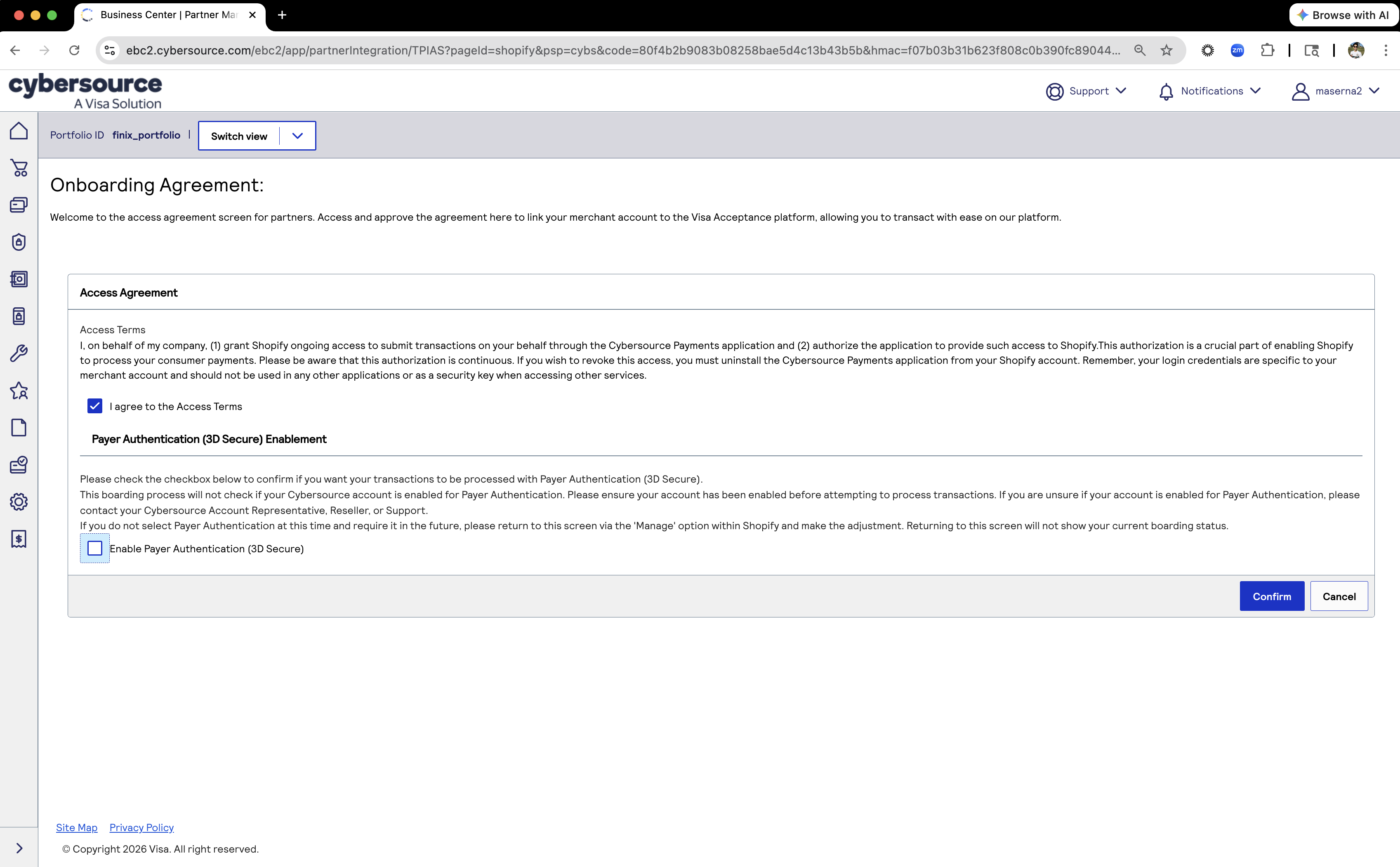
Ensure you only select Access Agreement and not Payer Authentication.
In this last step, you'll configure your card brands and Payment Methods.
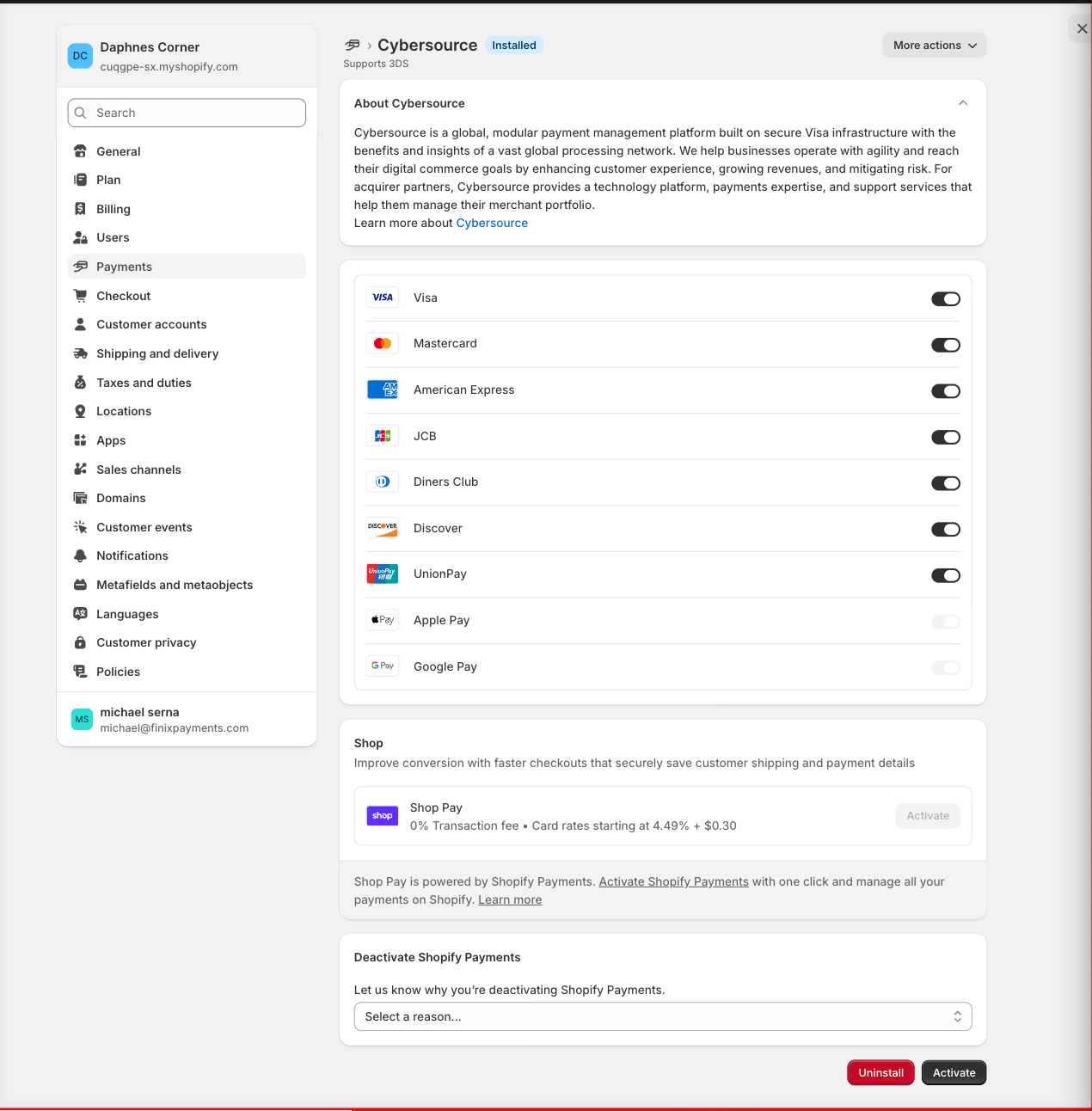
After you configure your card brands and payment methods on Shopify, you can now take payments through Finix via our Cybersource Gateway Integration.
To learn more about our Cybersource Gateway Integration, you can read our guide.
If you need additional assistance contact support@finix.com.
When you run a transaction on Shopify, you should now see the transaction on your Shopify Account and also on Cybersource.
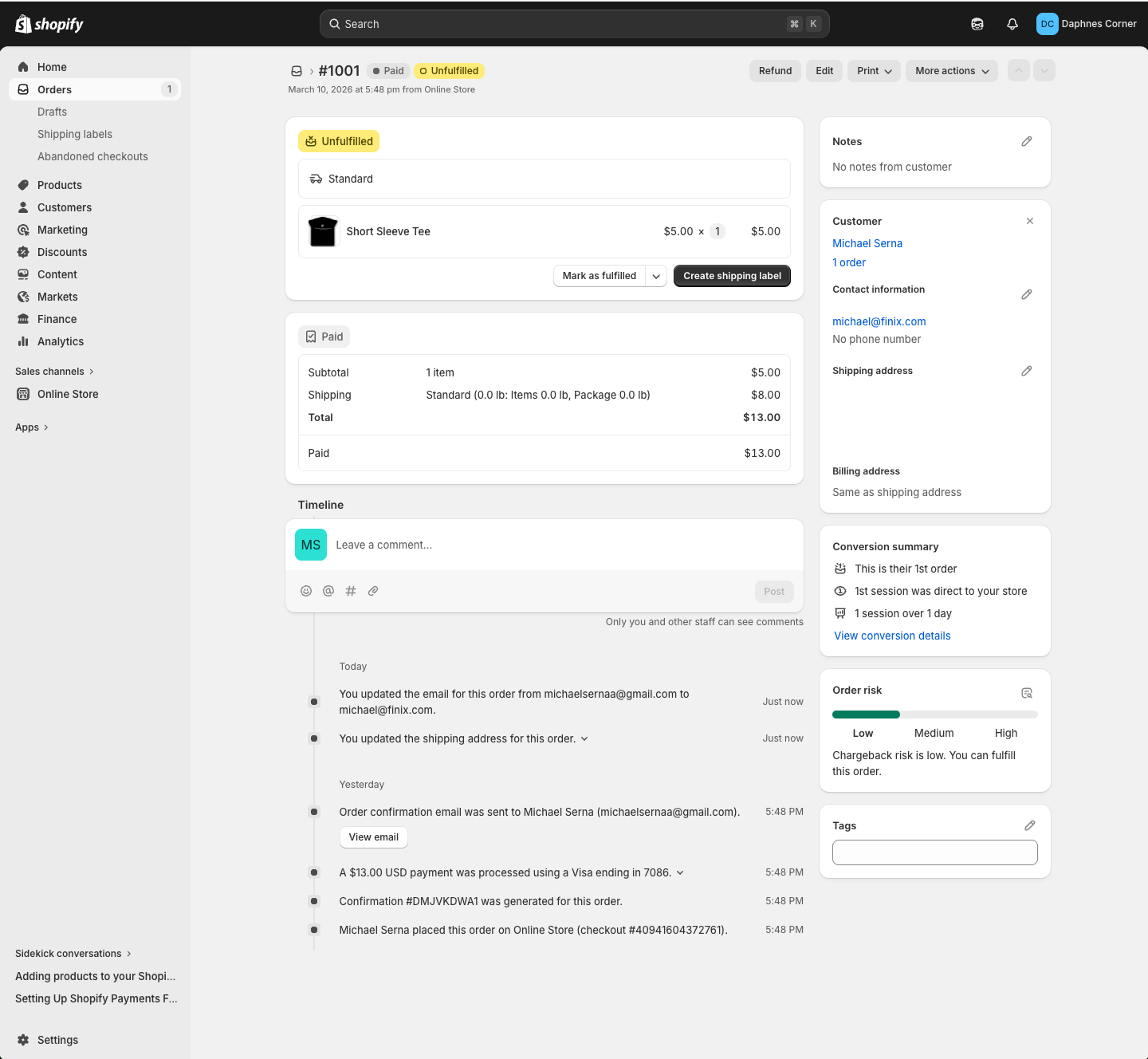
These transactions will be ingested by Finix and added into Settlements. To track transfers between Finix and Cybersource, see how to locate Cybersource transactions.