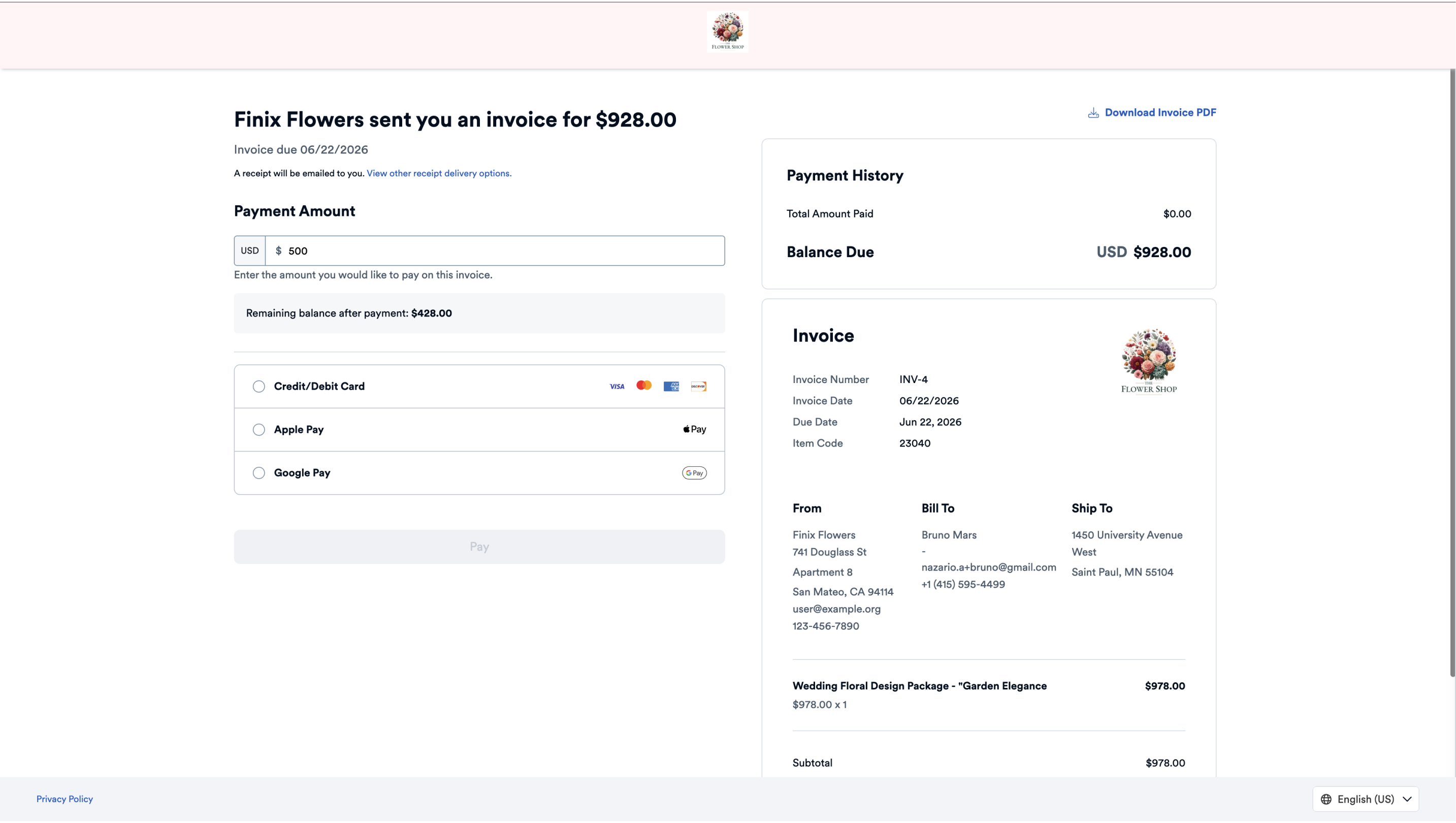
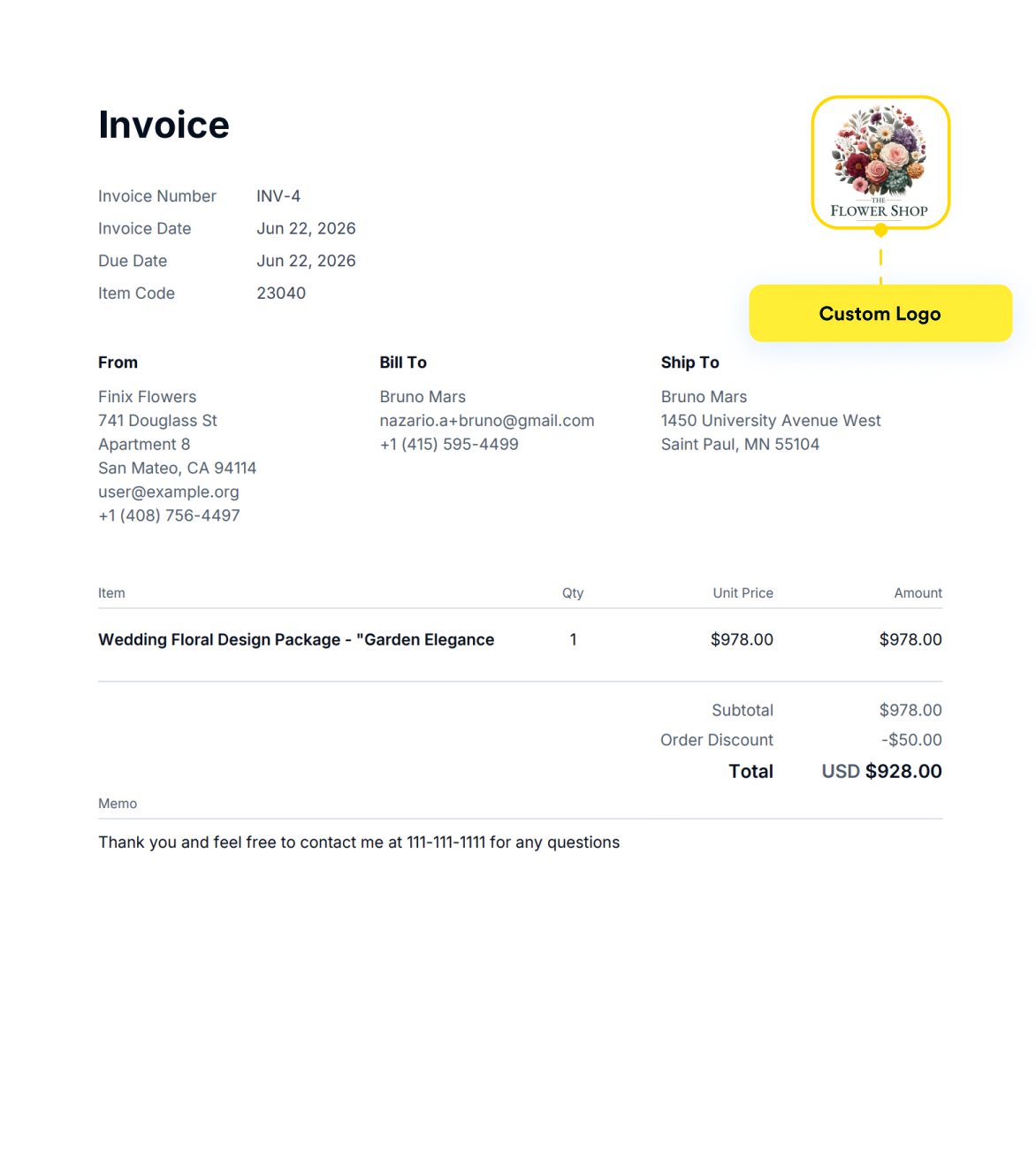
During invoice creation, you can personalize both the invoice and payment page. The invoice will only show your logo, while the payment page will display your logo and any other brand settings you choose.
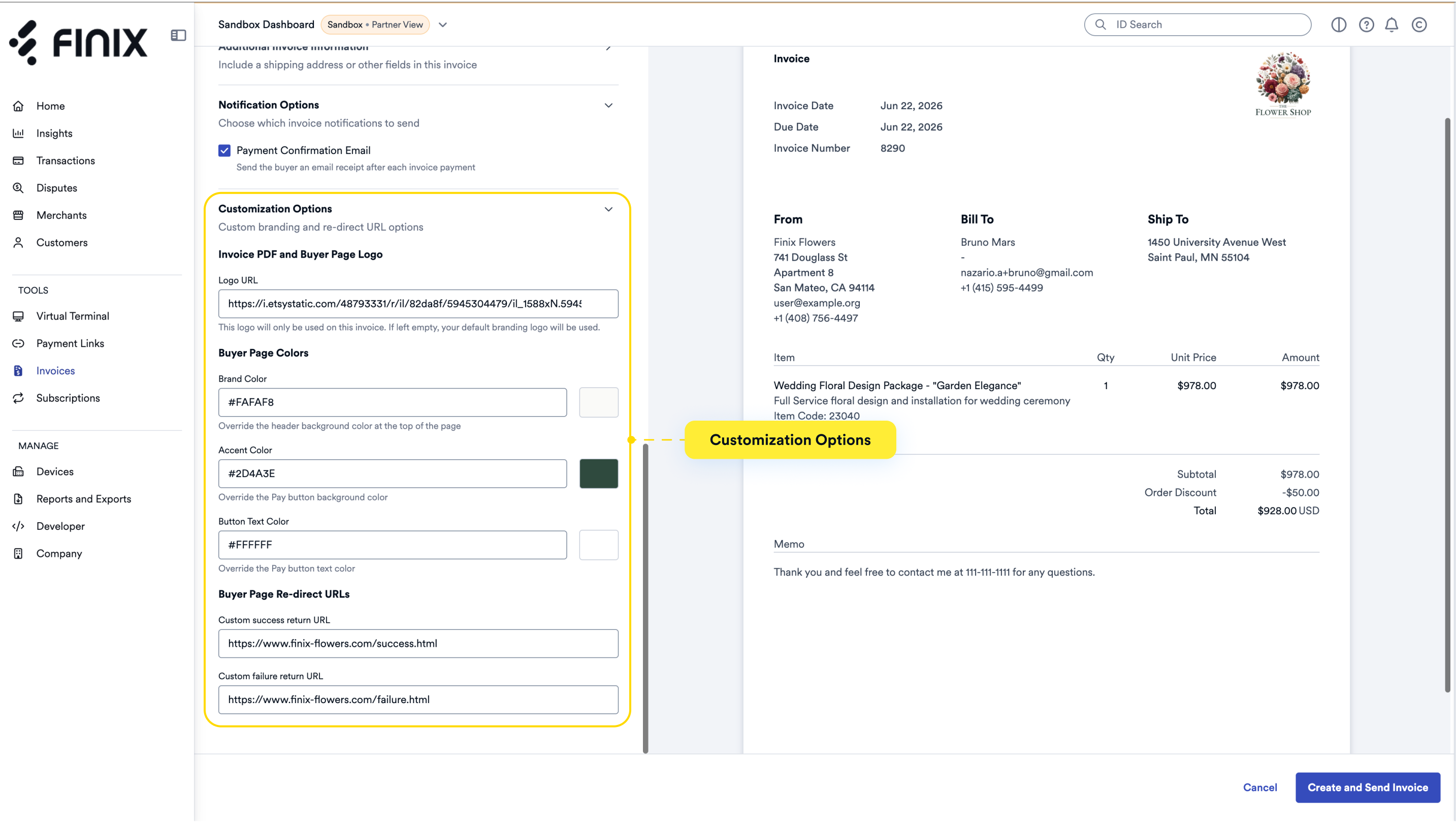
To customize the branding for your invoices, you can configure the following settings:
- Logo URL - Provide a link to your company logo.
- Brand Color - Customize the header background color.
- Accent Color - Customize the payment button background color.
- Button Text Color - Customize the payment button text color.
- Redirect URLs - Specify where buyers are sent after successful payment, failed payment, or session expiration.
The invoice contains your logo.
The payment page displays your logo and custom branding.