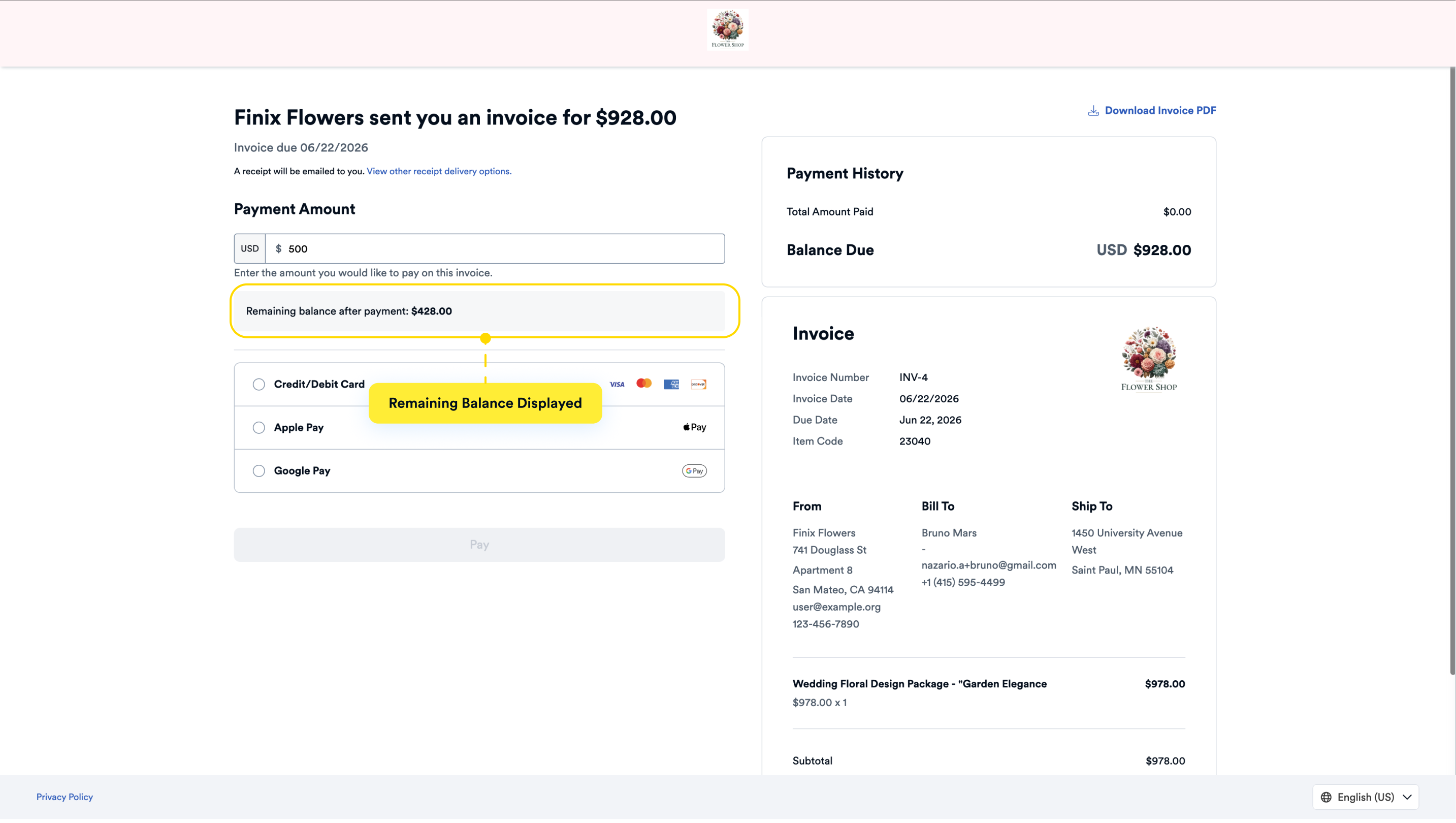
During invoice creation, you can allow buyers to pay in full or in partial payments.
When creating the invoice, under the Payment Options section, select the Partial Payments checkbox.
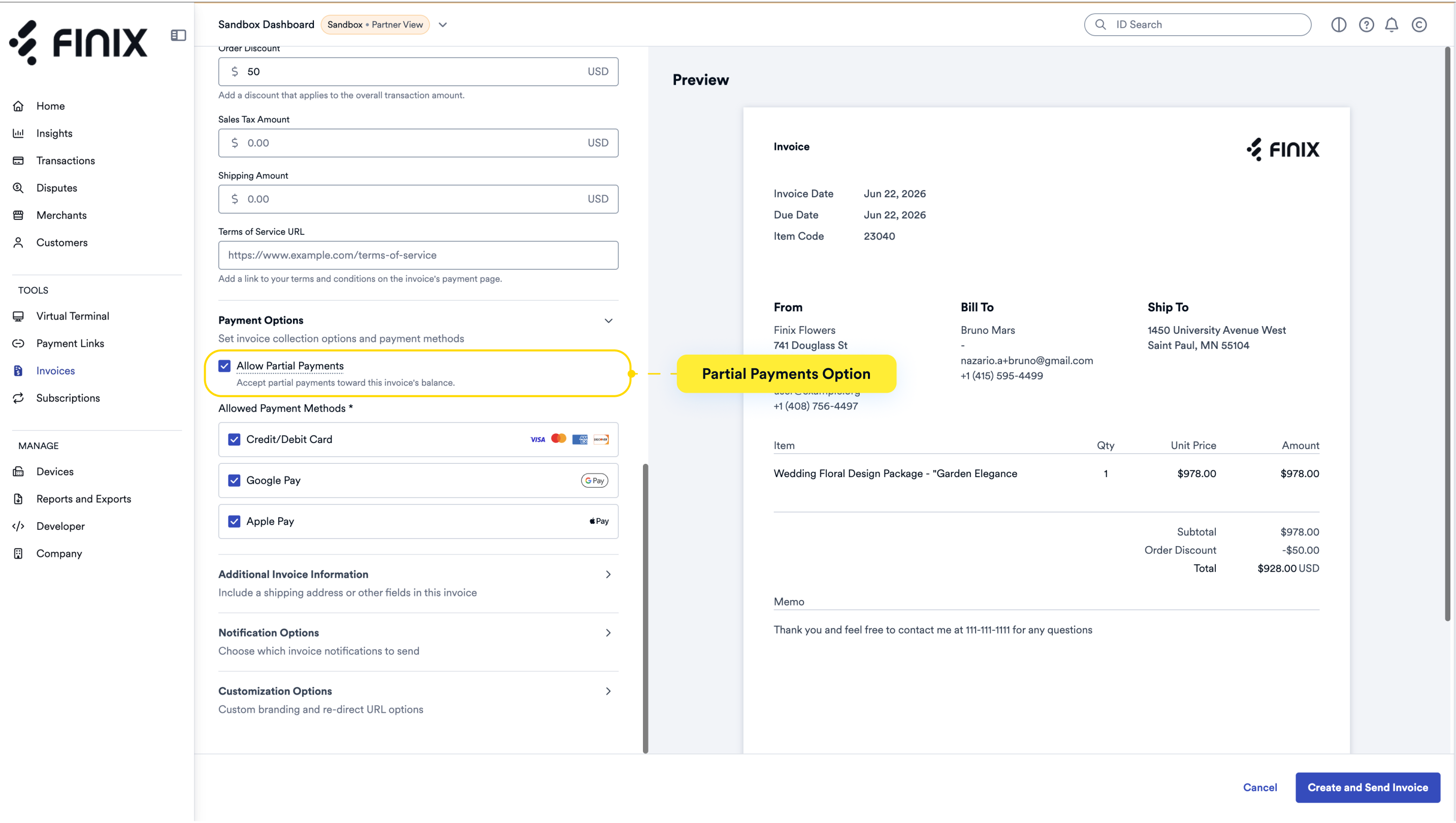
When a buyer clicks the invoice link, the payment page will display with the ability to add a payment amount that is less than or equal to the invoice total. After entering the amount, the remaining balance on the invoice will be shown.