You can terminate seller accounts through the Finix Dashboard or via our APIs.
There are several reasons to terminate a seller merchant account after approval, including suspected fraud, compliance violations, excessive chargebacks, or merchant churn. The seller's merchant account state will immediately update to Terminated.
Terminating a seller merchant account will:
Disable payment processing (
processing_enabled: false)Disable settlements (
settlement_enabled: false)Disable refunds (
refunds_disabled: true)
If a merchant is terminated by mistake, please contact the Finix Support Team.
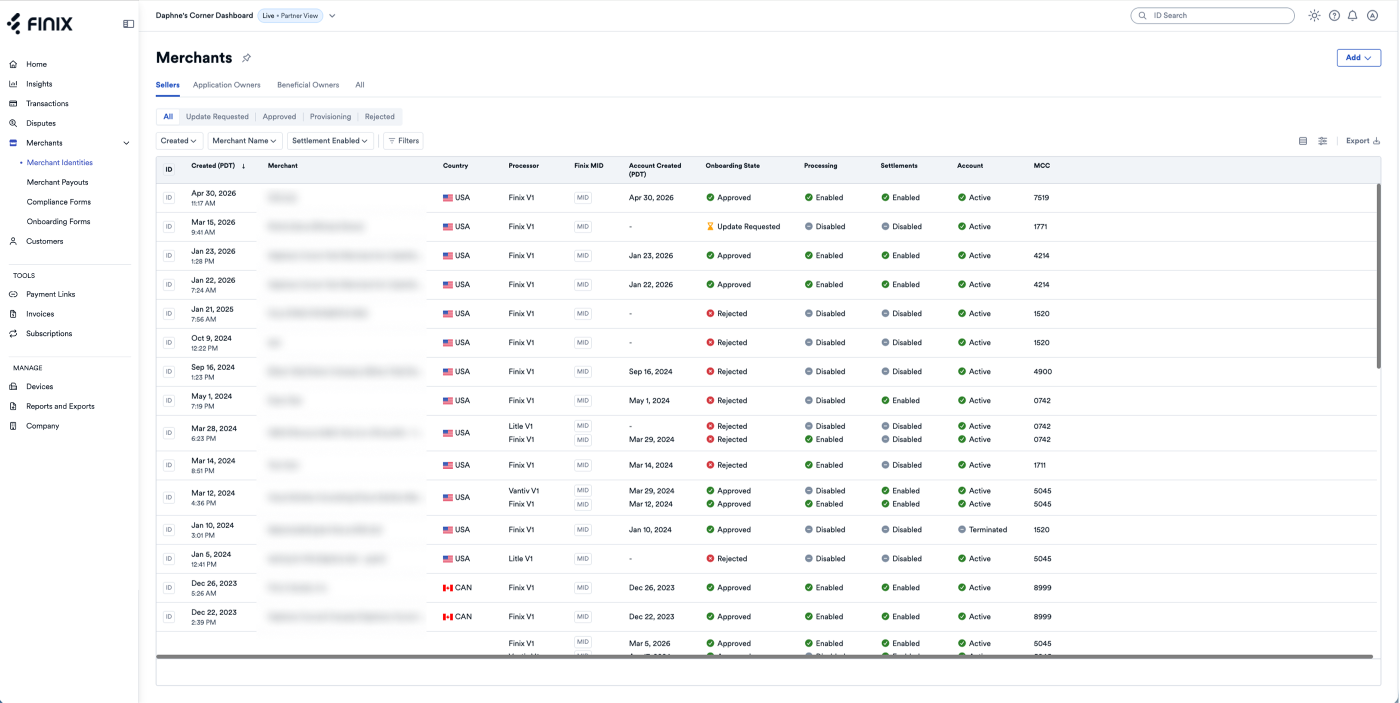
On the Merchants page, you can see all Merchants in your system. Click on the Merchant to navigate to their account page.
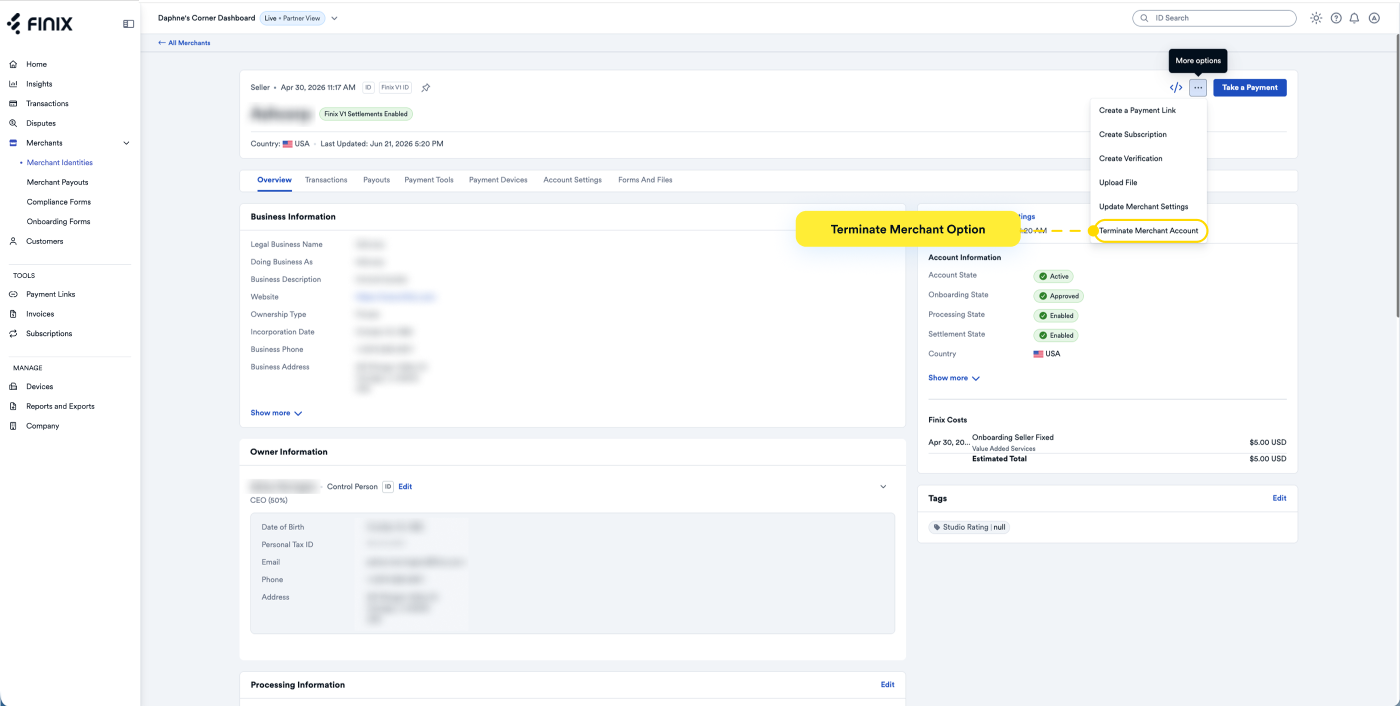
On the Merchant page, click the three-dot icon in the top-right corner, then select Terminate Merchant Account from the dropdown menu.
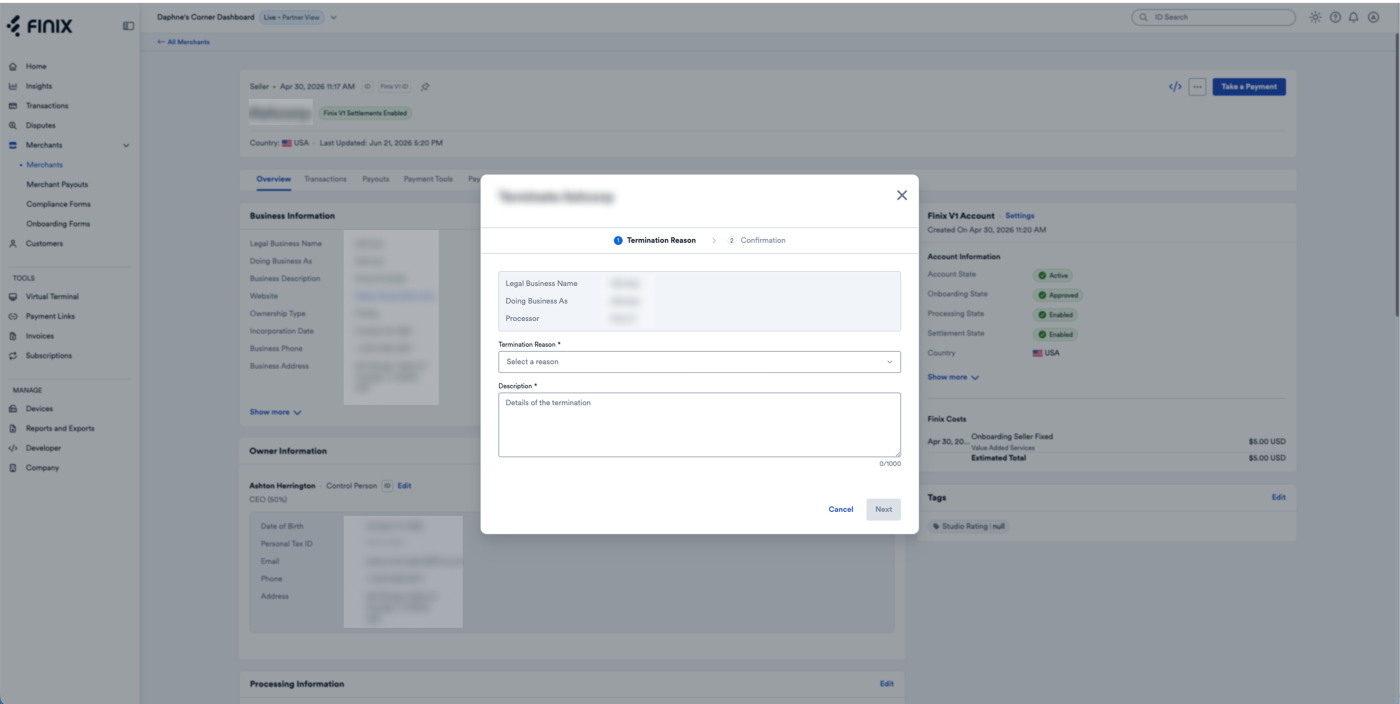
Choose a reason for terminating the merchant account from the dropdown menu. Then, enter a description explaining the reason (maximum 1,000 characters).
Terminating the merchant account will disable processing, settlements and refunds. The action cannot be reverted.
- Sandbox serverhttps://finix.sandbox-payments-api.com/merchants/{merchant_id}
curl -i -X PUT \
  -u USfdccsr1Z5iVbXDyYt7hjZZ:313636f3-fac2-45a7-bff7-a334b93e7bda \
  https://finix.sandbox-payments-api.com/merchants/MUwfZPNW3r4EqLMzwgr6txw4 \
  -H 'Content-Type: application/json' \
  -d '{
    "is_terminated": true,
    "termination_details": {
      "description": "Customer canceled",
      "reason": "CHURNED"
    }
  }'