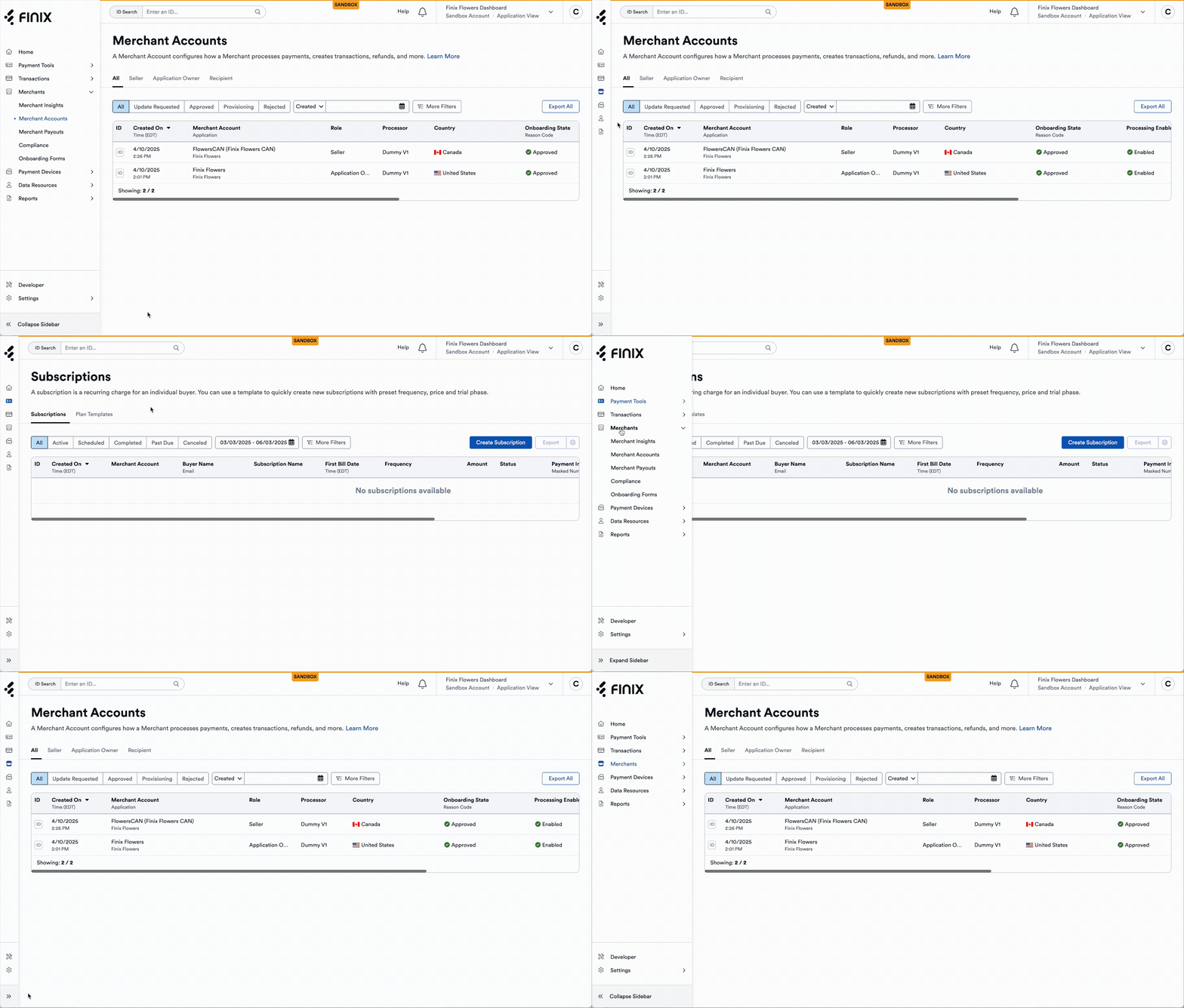
Key Updates:
- Collapsible sidebar allows for more space on smaller screens: You can now collapse the sidebar navigation and give yourself more horizontal space to view the dashboard. This can be handy for investigating transactions or seeing more columns on certain pages.
- Ability to upload a small icon is now available: If you use a white-labeled dashboard, you can now upload a smaller icon logo to be displayed when the sidebar is collapsed. We recommend uploading a square icon logo. We will use a generic unbranded icon if you don't upload one.
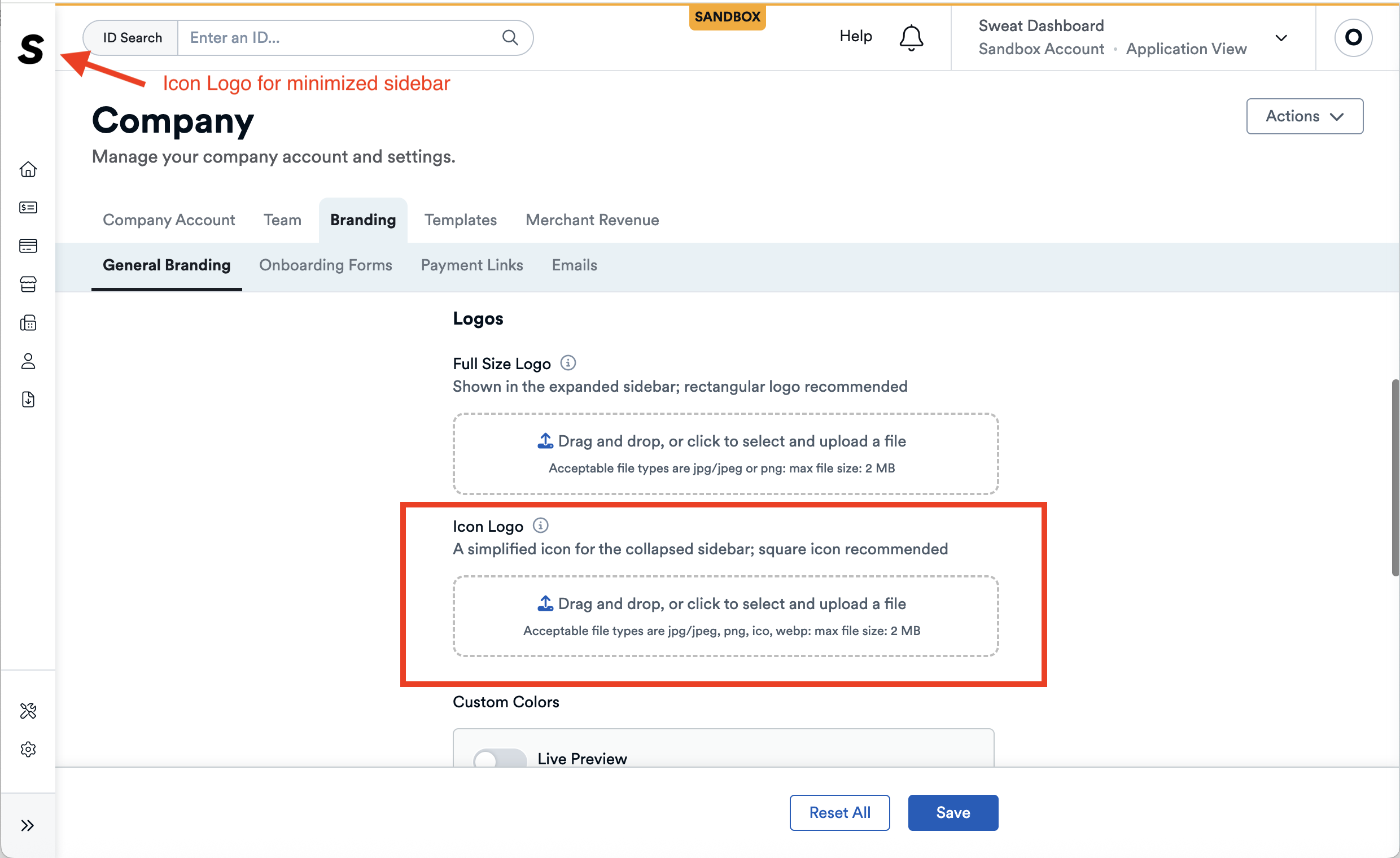
Follow the steps below to upload a icon for the collapsed sidebar. If you don't upload one, we will use a generic unbranded icon for your merchants.
- Head towards the Settings > Company > Branding Page.
- Upload a square logo in the Icon Logo section.
- Save and review your image once you collapse the sidebar.
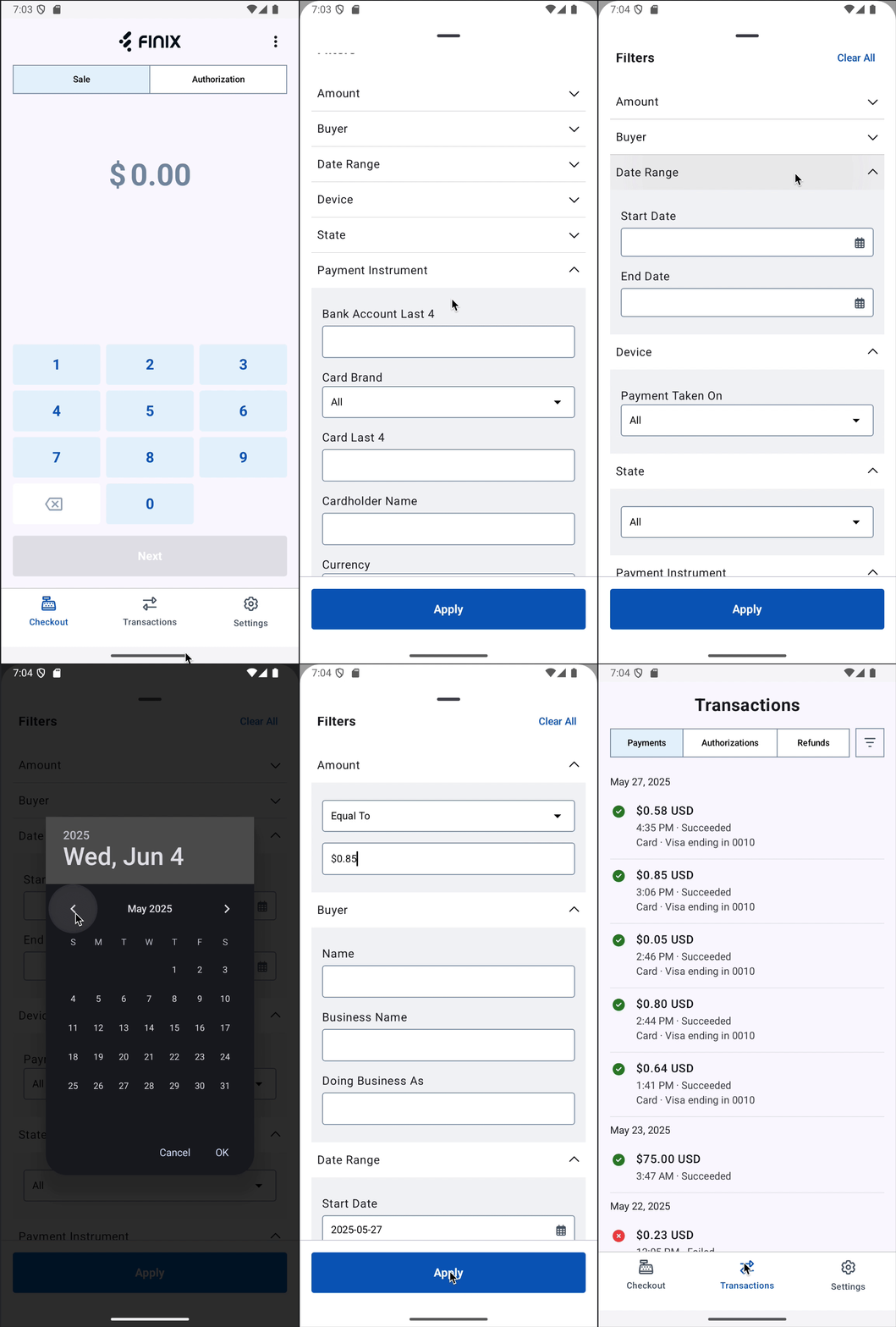
You can now filter transactions on the Standalone Mode. This is useful if you need to find a specific transaction or see transactions for a specific merchant. For additional details, see our Standalone Mode Filters Guide.
Below is a gif showing how to filter transactions on the Standalone Mode.
You can now add custom fields to receipts. This allows you to add custom data fields—like invoice numbers — to printed receipts directly through the API. This enhancement gives you more flexibility to tailor receipts to your business needs.
For example, you can now include fields like "Invoice Number: 12345" directly on the printed receipt.
For additional details, see our Custom Fields to Receipts Guide.