Finix makes it easy to use ACH to add funds to your Finix balance (i.e., create a "Top-Up").
By default, there is a 3-day hold for ACH Top-Ups before your account balance increases. This accounts for risk and possible returns.
We offer support for sending wires to quickly top up your bank account. To learn more, contact your Finix Representative.
You can top up your account using the Finix Dashboard or API.
With the Dashboard, you can create a Top-Up to add funds to your account balance.
To Top-Up your account:
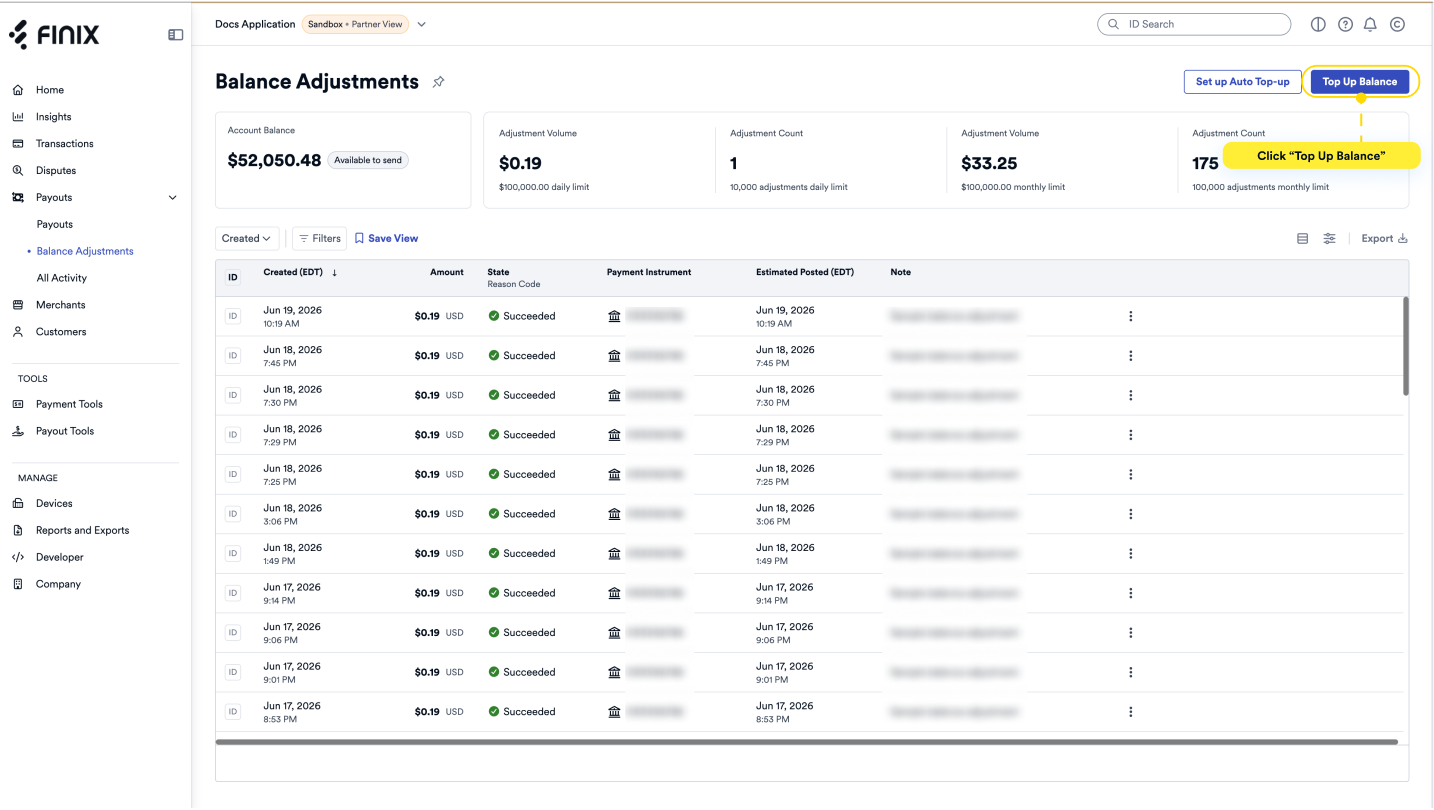
- From the dashboard, expand Payouts and select Balance Adjustments.
- From the Balance Adjustments page, click the Top Up Balance button.
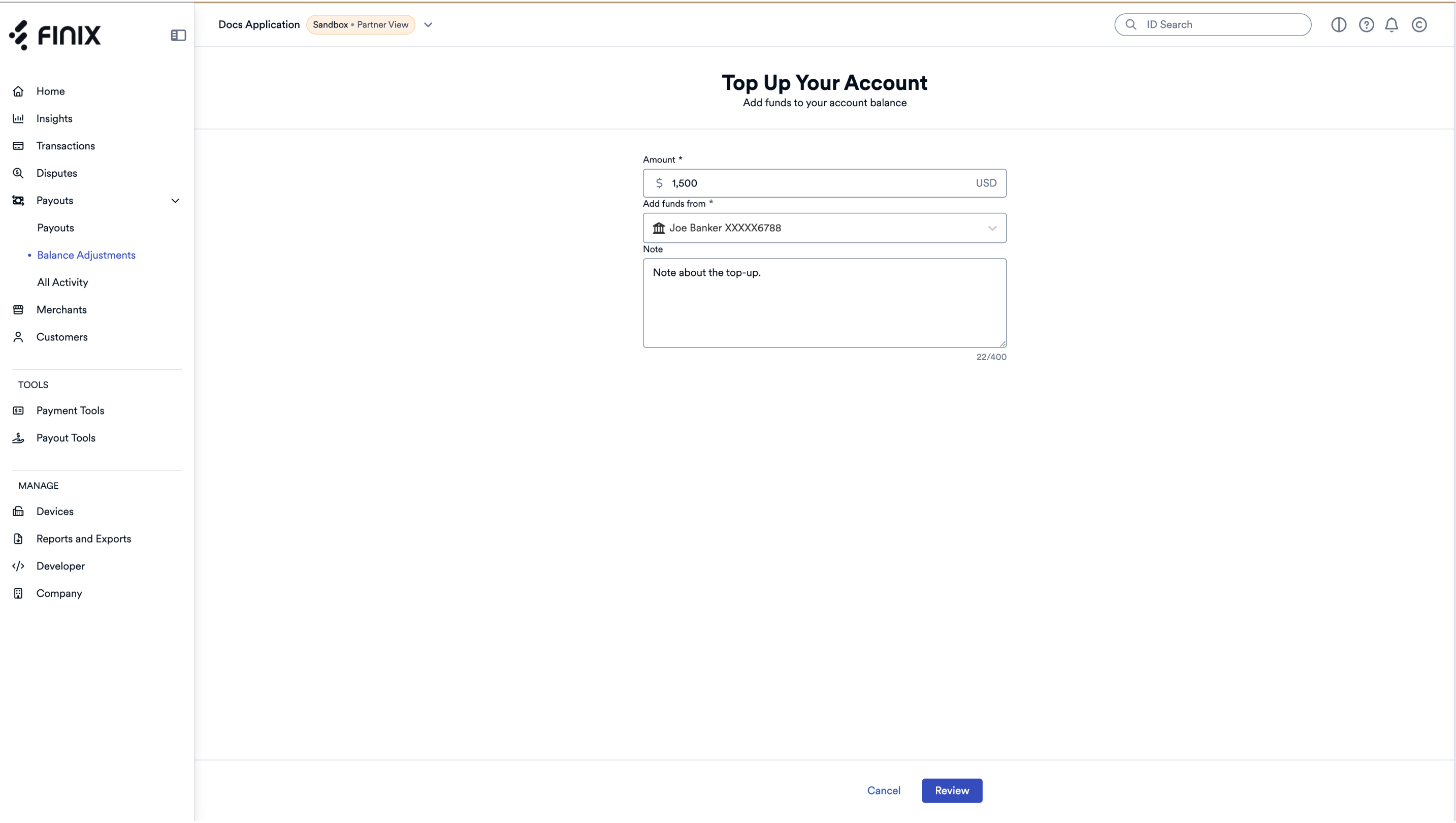
- Enter the amount you want to top up.
- Select the bank account to use for the Top-Up.
- Add a note about the Top-Up.
- Click Review.
Review the Transaction Details.
If the information is correct, click Submit.
- A message appears indicating that your balance adjustment is being processed.
- You are presented with the option to Add More Funds and View Balance Adjustments.
Click View Balance Adjustments to return to the Balance Adjustments screen.
- Your Top-Up is displayed in the list of balance adjustments.
Set up Auto-Top-Up to add funds from a selected bank account to your account balance when it falls below a set threshold.
To set up an Auto Top-Up rule:
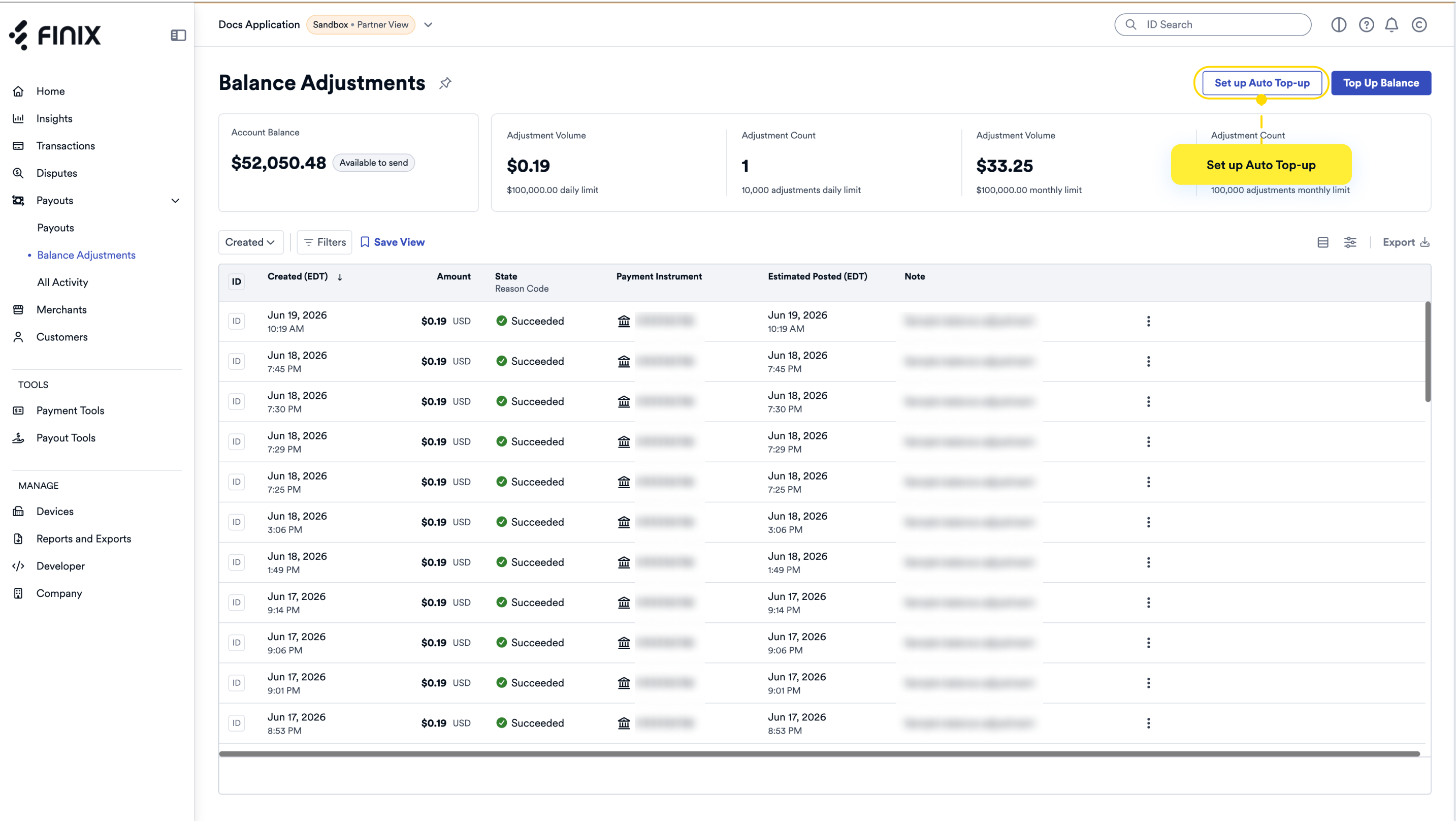
From the dashboard, expand Payouts and select Balance Adjustments.
From the Balance Adjustments page, click the Set up Auto Top-Up button.
- The Set up Auto Top-Up wizard displays.
Select a bank account to draw funds for the Top-Up.
Enter a Minimum Balance Threshold, the lowest balance you want to maintain.
Enter a Maximum Daily Top-Up, the most the system can top up from your bank account each day.
Enter a name for the Auto Top-Up rule.
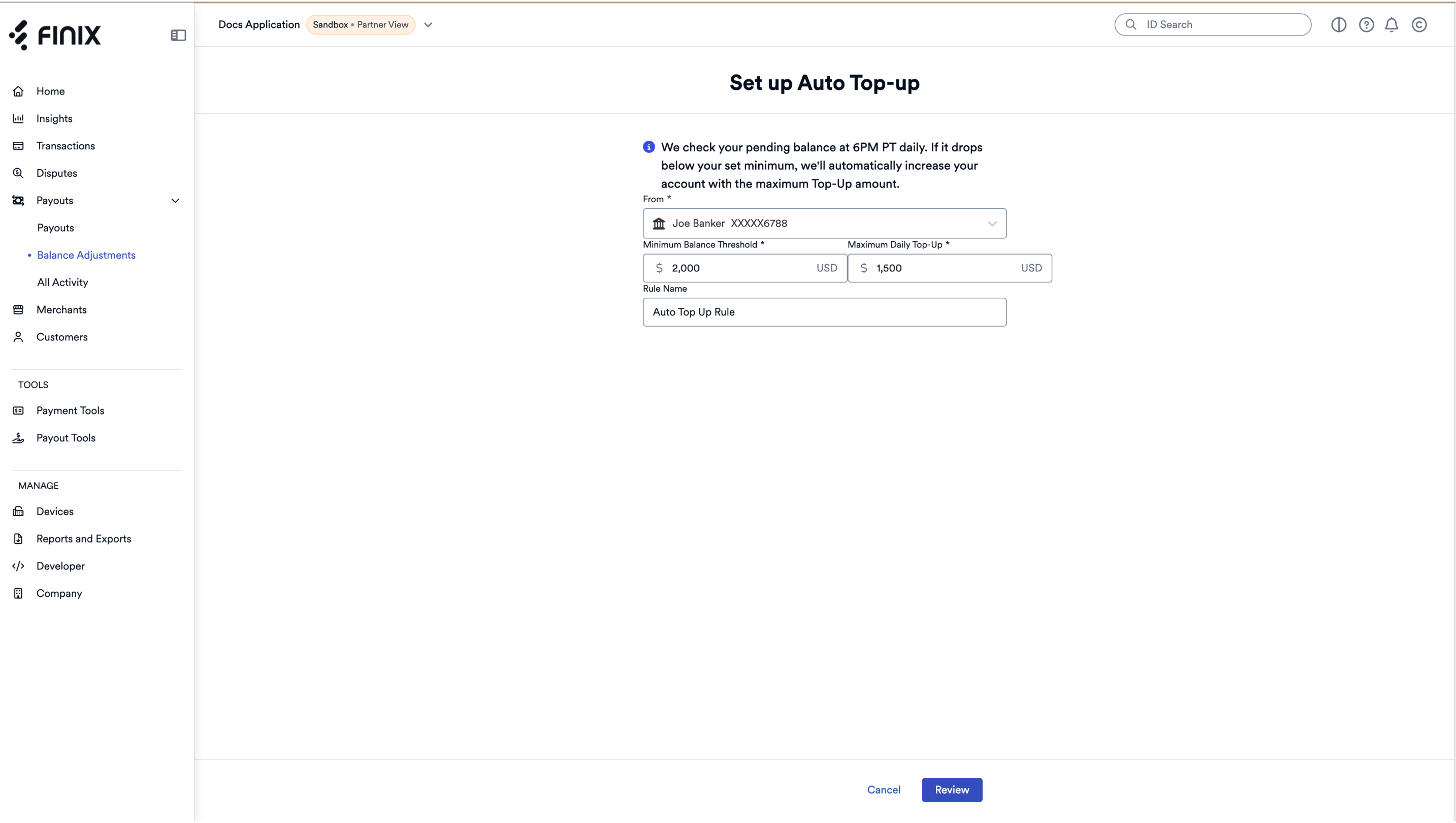
- Click Review.
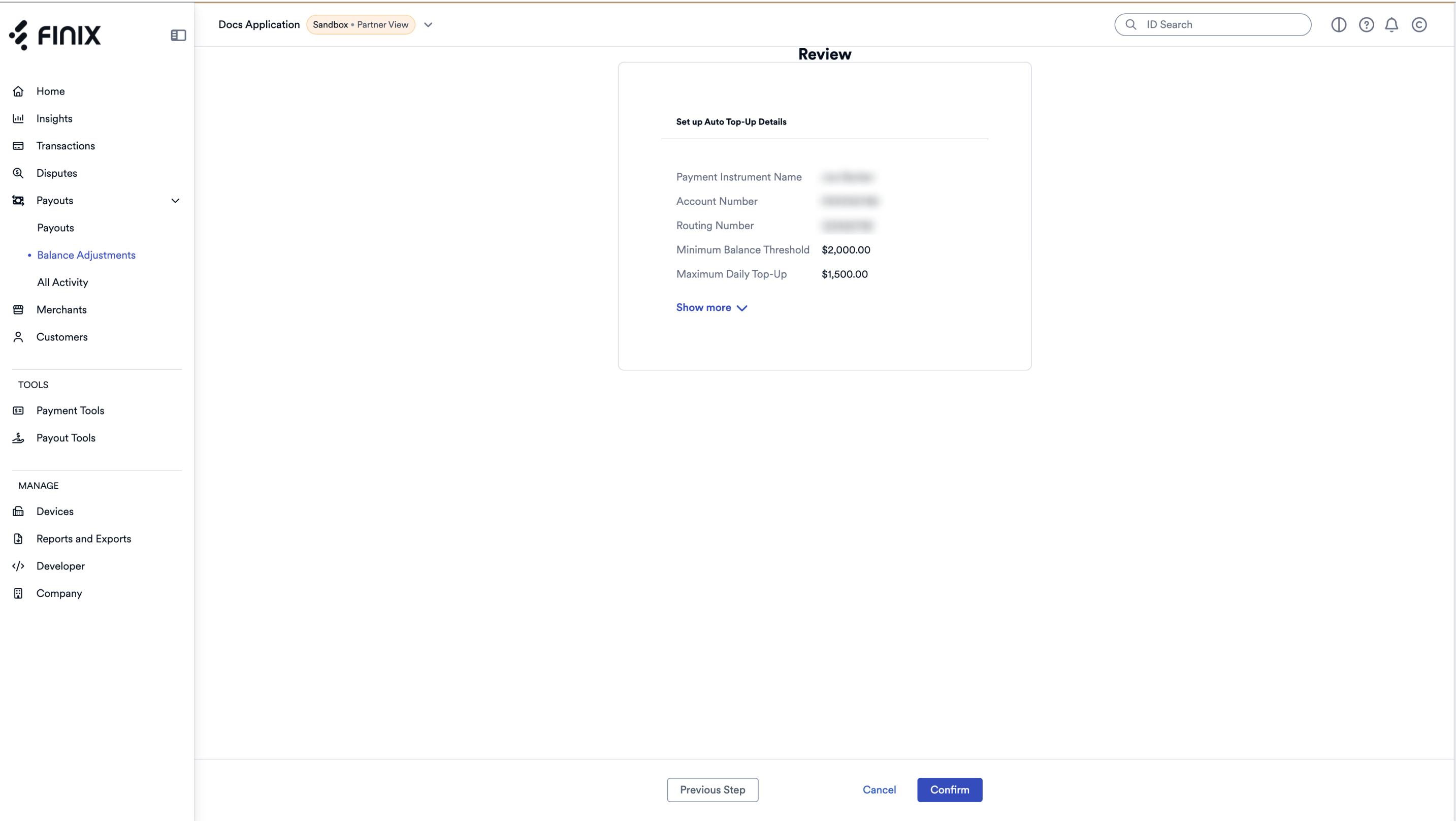
- Review the Auto Top-Up details.
- Click Confirm if the information is accurate.
- A message appears indicating the Auto Top-Up rule was created successfully.
- The Company page > Company Settings tab > Auto Top-Up Rules page shows the Auto Top-Up rule you created. You can only edit this rule from the Balance Adjustments page.