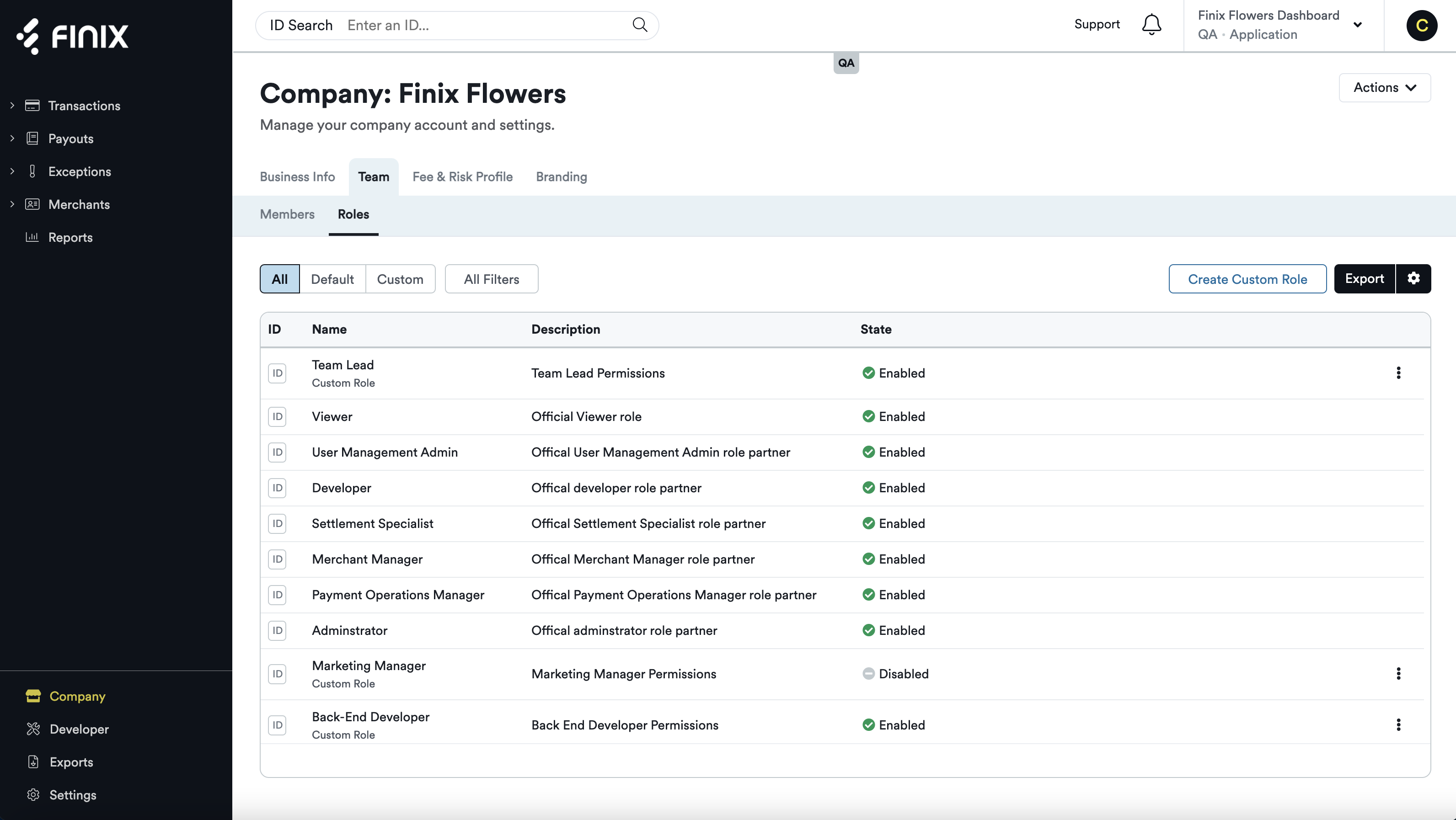
This feature enables customers to manage their Team Members, Roles, and access levels in the Finix dashboard. These enhancements make it possible for administrators (those with the highest level of access) to add, customize, and manage the users from their company, directly in the Finix dashboard. Managed permissions provide enhanced security and limit who can see sensitive payments data.
In the Finix dashboard you can now easily:
- Add and deactivate team members
- Assign different permission-based roles
- Create custom roles to address unique business needs
- Add and deactivate team members
- Assign different permission-based roles
- Create custom roles to address unique business needs
The variety of configurable profiles to choose from include:
- Administrator
- Payment Operations Manager
- Merchant Manager
- Settlement Specialist
- Developer
- Viewer
- User Management Admin
- Custom Roles
- Administrator
- Payment Operations Manager
- Merchant Manager
- Settlement Specialist
- Developer
- Viewer
- User Management Admin
- Custom Roles
Customers can manage which team members have access to their company’s dashboard and their specific permissions, deactivate users who no longer need access, as well as create new custom roles tailored to their unique user requirements.
A common example of a custom role you might create is for an outside accountant, who may need access to specific data for a set amount of time during the year. Start managing your team’s roles and permissions.