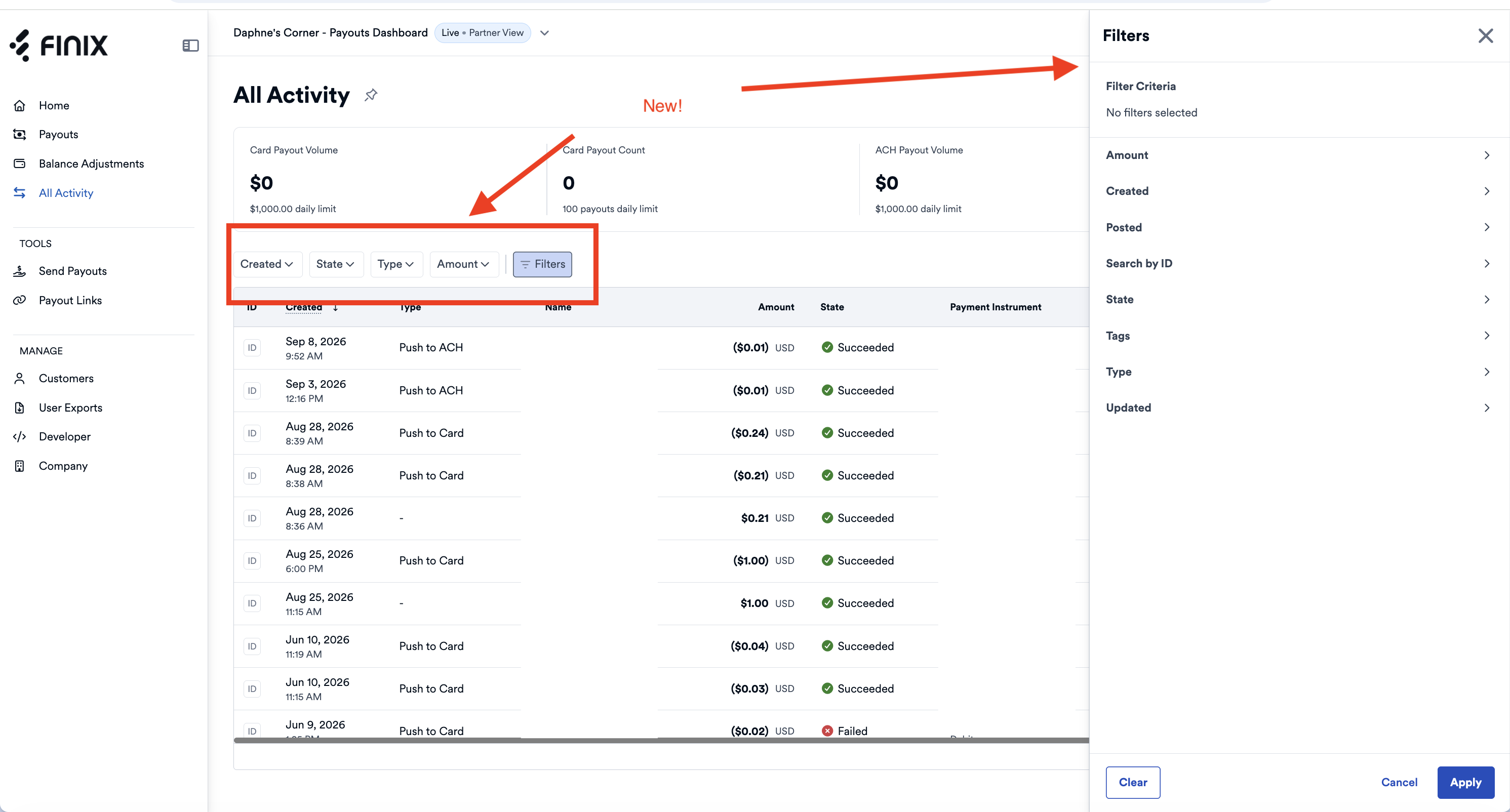
We've added new filters to the All Activity tab of the Payouts Dashboard. Narrow your balance activity to the entries you need, whether you're reconciling a top-up or tracking down a single payout.
Four quick filters sit above the table:
- Created: Show activity from a specific date range.
- State: Filter entries by their current state.
- Type: Filter by the type of transaction that changed your balance.
- Amount: Find entries by amount.
Click Filters for more options:
- Entity type: Show entries triggered by a transfer or by a balance adjustment.
- Search by ID: Search by Balance Entry ID, Entity ID, or Parent Balance Entry ID. Use the parent ID to find the reversal of an original entry.
- Posted: Filter by the date an entry posted to your balance.
- Tags: Filter by tag key and value.
- Updated: Filter by the date an entry was last updated.
The same filters are available through the API. The List Balance Entries endpoint accepts amount, created, entity_id, entity_type, id, parent_balance_entry_id, posted_at, state, tags, and type as query parameters.
To learn more, see Managing Payouts.