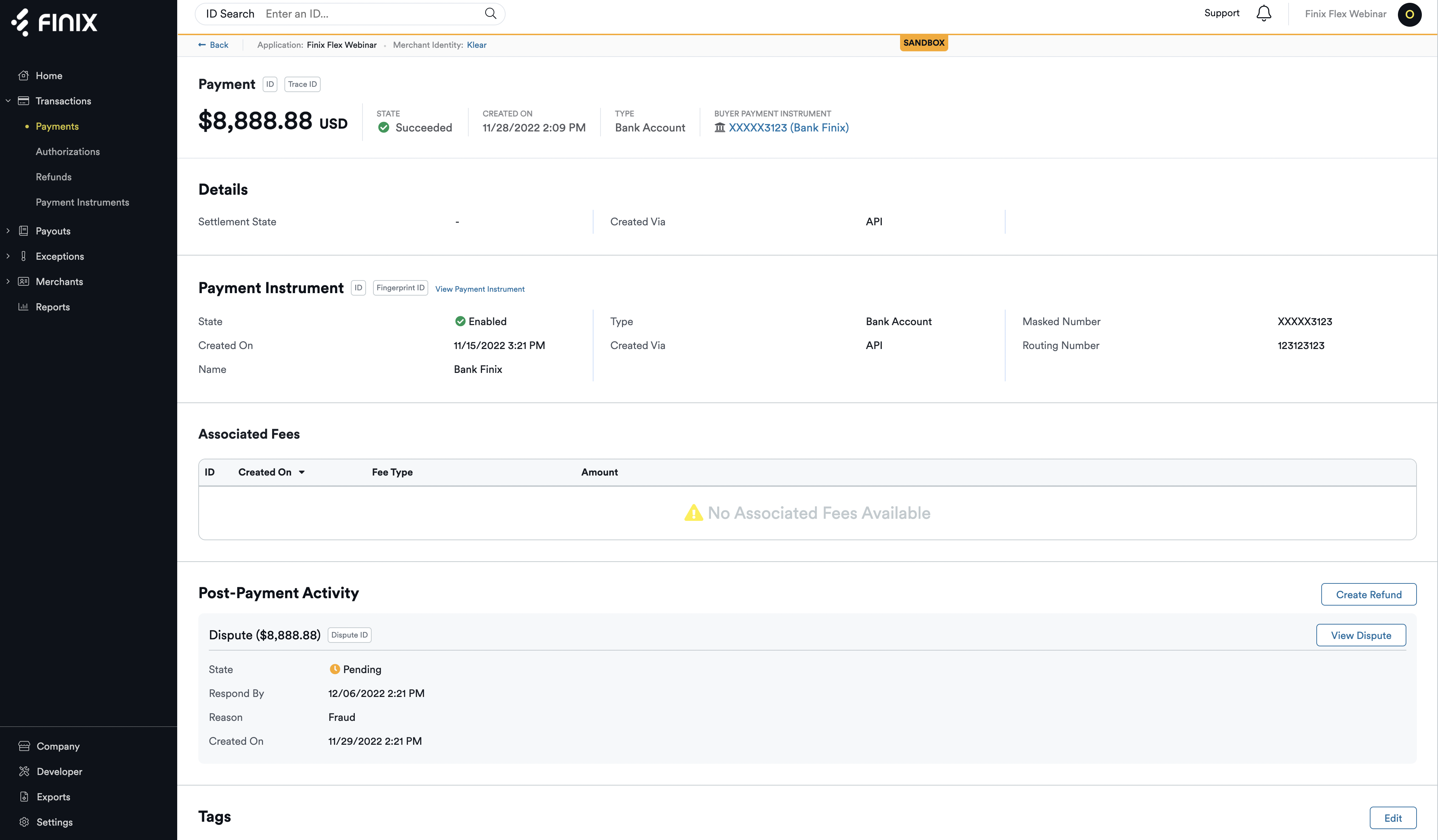
Thanks to the collective feedback from our customers about the Finix Dashboard, every page of the Finix Dashboard has been redesigned, focusing specifically on how content is organized, utilized by different teams (such as features catered to developers and to payment operations), and laid out for greater clarity, discoverability, and ease of use. This release kicked off the implementation of those designs.
Thanks to the collective feedback from our customers about the Finix Dashboard, every page of the Finix Dashboard has been redesigned, focusing specifically on how content is organized, utilized by different teams (such as features catered to developers and to payment operations), and laid out for greater clarity, discoverability, and ease of use. This release kicked off the implementation of those designs.
We’ve updated naming conventions to be more intuitive, for instance: “Transfers” that are buyer purchases are now called “Payments” in the dashboard. Payments now appear along with “Authorizations” and “Refunds” in the “Transactions” list in the left navigation bar of your dashboard.
We’ve better organized pages within each section of the dashboard, and added more filters so you can easily sort and report on information you want to see at any given time. These filters are also helpful to pull on-demand reports from the dashboard so that you don’t need to wait for settlement reports, which come at the end of the day and include full information, which may not be needed if your goal is to extract a finite set of information from a given time period. These reports can be found in your exports section of the dashboard–at the bottom left–so you can go back and reference them at any time. You can also download them as a CSV file.
We’ve better organized pages within each section of the dashboard, and added more filters so you can easily sort and report on information you want to see at any given time. These filters are also helpful to pull on-demand reports from the dashboard so that you don’t need to wait for settlement reports, which come at the end of the day and include full information, which may not be needed if your goal is to extract a finite set of information from a given time period. These reports can be found in your exports section of the dashboard–at the bottom left–so you can go back and reference them at any time. You can also download them as a CSV file.
Lastly, we improved the settlements experience with detailed page headers that showcase the payout type of a given transaction (such as net versus gross payout type).
Lastly, we improved the settlements experience with detailed page headers that showcase the payout type of a given transaction (such as net versus gross payout type).
We released an entirely new suite of payment terminals for In-Person Payments including the addition of new Finix Mobile SDKs and new Finix APIs so that you can choose the software and hardware pairing that works best for your business.
We released an entirely new suite of payment terminals for In-Person Payments including the addition of new Finix Mobile SDKs and new Finix APIs so that you can choose the software and hardware pairing that works best for your business.
You can now white label using your own branding with Finix!
- You can now white-label, or customize your dashboard, your merchants’ dashboards, and embedded merchant onboarding forms using your own company branding - including your company logo and colors.
- White labeling creates a consistent user experience for your merchants which can lead to increased trust and translate to a higher willingness to complete onboarding more quickly.
You can now white label using your own branding with Finix!
- You can now white-label, or customize your dashboard, your merchants’ dashboards, and embedded merchant onboarding forms using your own company branding - including your company logo and colors.
- White labeling creates a consistent user experience for your merchants which can lead to increased trust and translate to a higher willingness to complete onboarding more quickly.